

.webp)
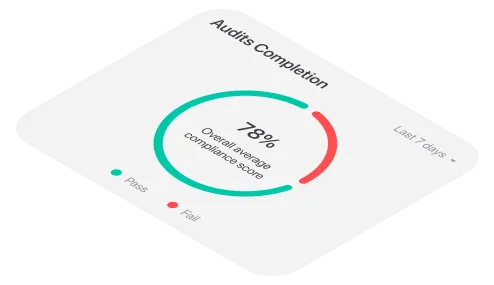
A corrective action may start with a clear finding, but spreadsheet-based tracking can make it surprisingly easy for the follow-up to stall. Deadlines get buried in separate files, ownership becomes unclear, managers lack a current view of open actions and completed work is sometimes marked closed without enough evidence to confirm that the problem was actually resolved.
These are some of the most common problems with tracking corrective actions in a spreadsheet. As findings come from audits, inspections, incidents, customer complaints and internal reviews, manually maintaining separate trackers can create duplicate records, missed deadlines and incomplete follow-up.
Corrective action tracking software gives teams a more dependable way to assign responsibility, prioritize work, monitor progress, document evidence and verify resolution. This guide explains what spreadsheet-based tracking is costing your team and how a closed-loop process can improve accountability and issue resolution.
What is corrective action tracking software?
Corrective action tracking software takes a finding - whether it comes from an audit, inspection, incident, customer complaint or internal report - and turns it into a clearly assigned action with an owner, a deadline and a documented path to closure.
A dedicated system can help teams:
- Bring findings from multiple sources into one queue
- Assign every action to a specific owner
- Set deadlines based on severity and risk
- Send reminders before an action becomes overdue
- Escalate unresolved work to the appropriate manager
- Document investigation and root-cause analysis
- Track progress, blockers and reassignment
- Attach evidence of the work completed
- Require review or verification before closure
- Identify recurring problems across sites, teams and processes
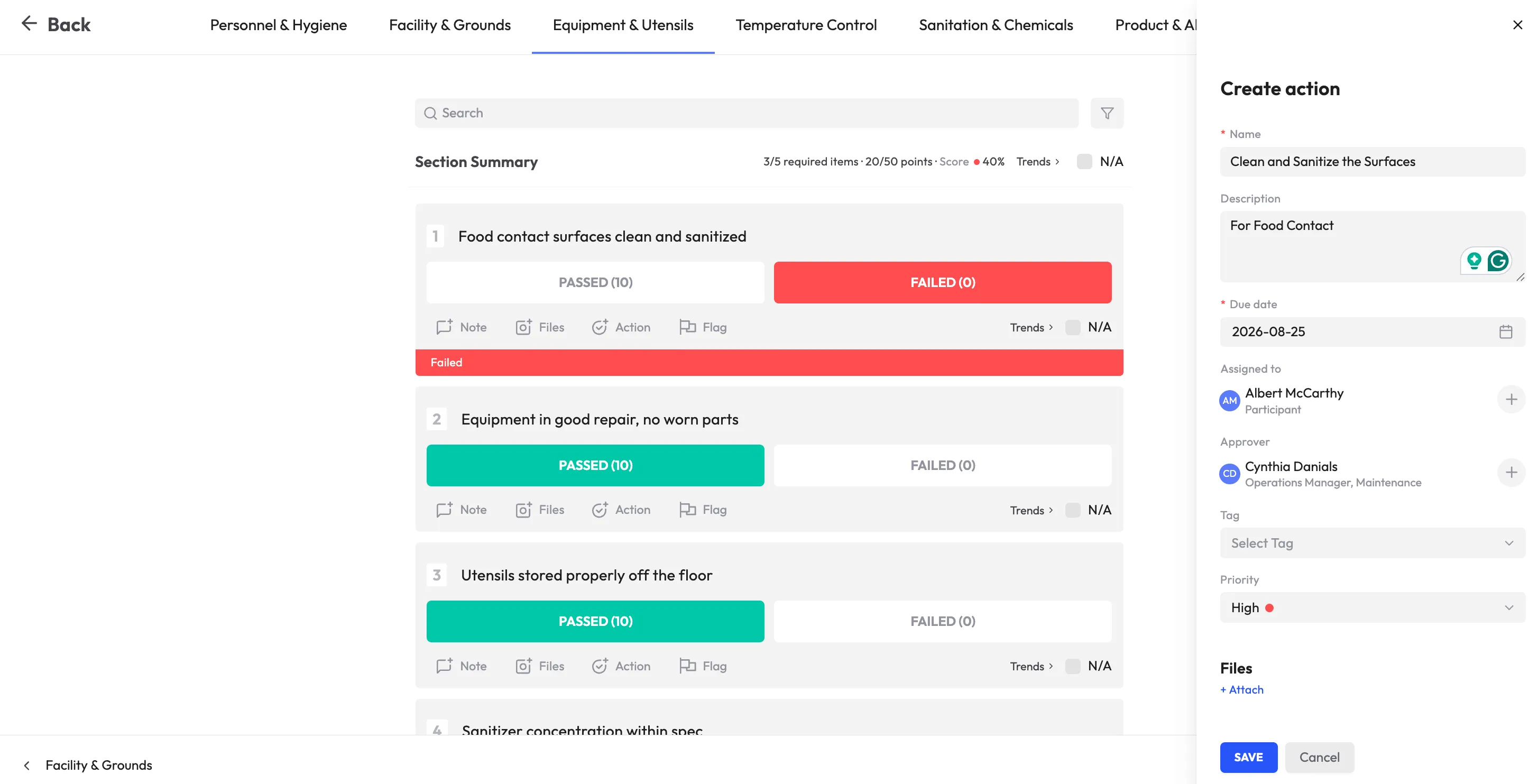
Simply recording an issue is not enough. The real value lies in what happens after the finding is created. A reliable workflow connects the original problem with the work required to resolve it and provides a record of who was responsible, what was done and how the result was verified.
This process can support safety, quality, compliance and customer-facing operations across teams and locations.
What spreadsheet-based corrective action tracking is costing you
Spreadsheets are familiar and flexible, which makes them an easy starting point for tracking corrective actions. The problems usually appear as the number of findings grows, more people become involved or managers need a reliable view across locations.
1. Missed deadlines and overdue actions
A spreadsheet may contain a due date, but it does not necessarily remind the action owner, escalate the issue or make the overdue item visible to the right manager.
As the number of actions grows, deadlines can be missed simply because no one is actively monitoring every row. A delayed corrective action may allow the original safety, quality, operational or compliance issue to continue. In some cases, the delay can also create additional cost, customer impact or regulatory exposure.
A date in a spreadsheet is not the same as an active follow-up process. Someone still has to check the file, notice the deadline, contact the owner and decide what should happen next.
How a software workflow helps: Automated reminders, overdue-action dashboards and escalation rules keep deadlines visible and reduce reliance on individual memory.
2. Unclear ownership
Corrective actions may involve several people, but shared responsibility can quickly become no responsibility. A spreadsheet may list a department instead of one accountable owner, or the named owner may change roles without the tracker being updated.
When no single person is clearly responsible for moving an action forward, follow-up can become a series of unanswered emails and informal conversations. Managers may know that an issue is open without knowing who is expected to resolve it.
How a software workflow helps: Assign each action to one accountable owner, define supporting roles and make current responsibility visible to the people involved.
<<cta>>
3. Poor visibility across teams and locations
Findings may originate in different audits, inspections, incidents, complaints and internal reviews. When each source has its own spreadsheet, managers cannot easily see the total number of open actions or identify which sites and teams require attention.
A local spreadsheet might show that one location has three open actions. It may not show that the same issue is appearing at five other locations or that another site has a high-risk action approaching its deadline.
How a software workflow helps: Centralize findings in one queue and provide role-appropriate dashboards across sites, departments, issue types and owners.
4. Incomplete follow-up
A spreadsheet may show that an action is “complete” without documenting what was done, whether the underlying cause was addressed or whether someone independently reviewed the result.
This is one of the most important problems with tracking corrective actions in a spreadsheet. A status change can create the appearance of progress without proving that the original issue was resolved effectively.
For example, a team may record “employee retrained” as the corrective action for a recurring process failure. Without investigating why the failure occurred and checking whether it happens again, the action may address only the immediate symptom.
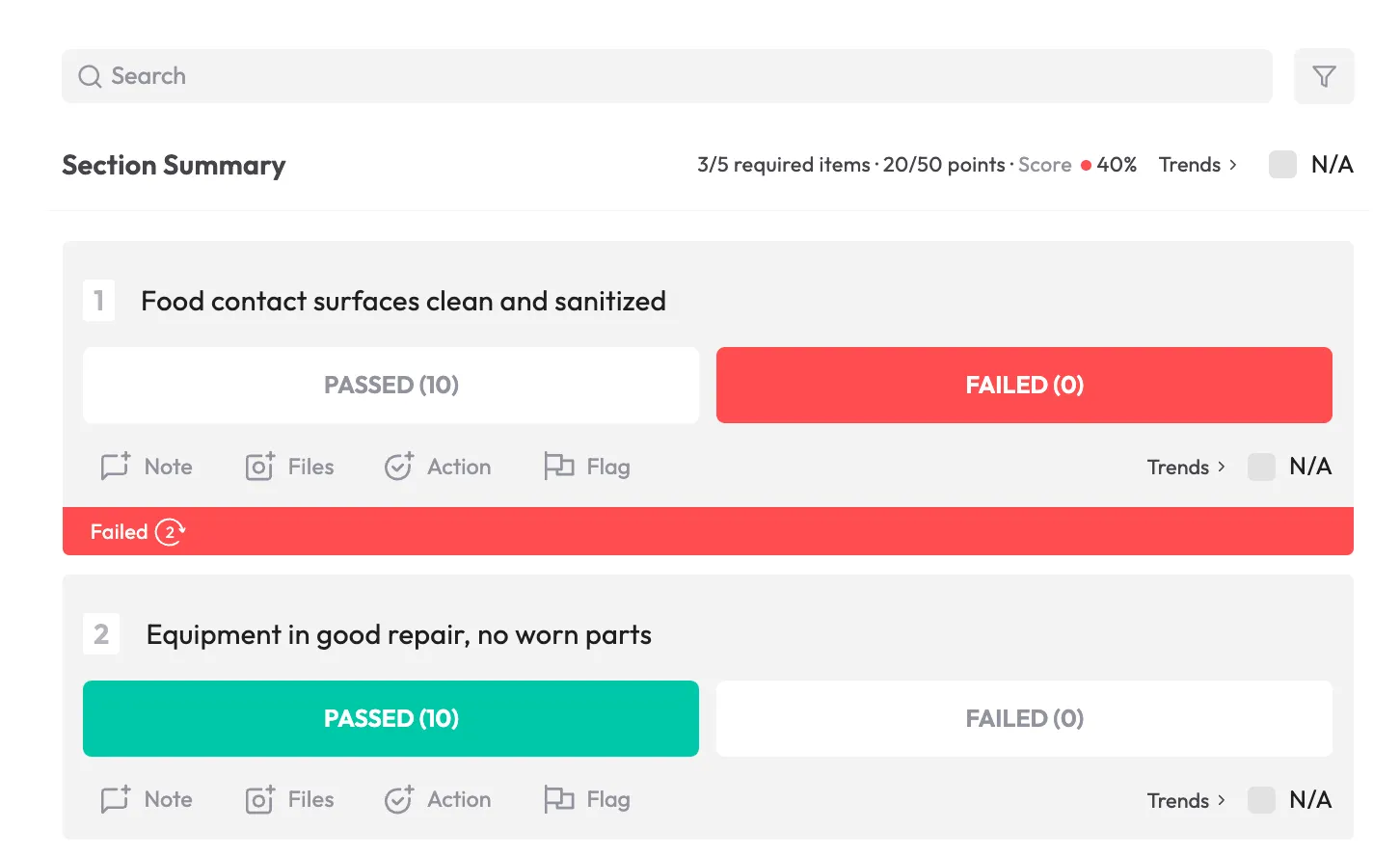
How a software workflow helps: Require an action plan, supporting evidence, investigation details and review or verification before an item can be closed.
5. Weak audit trails
Manual trackers may not provide a complete history of changes, reassignment, approvals, comments or closure decisions. It can be difficult to reconstruct who updated an action, when the deadline changed, who reviewed the evidence or why the item was considered resolved.
This creates challenges during internal reviews, customer audits, regulatory inspections and investigations. Informal notes and recollections are rarely as reliable as a complete, searchable record.
How a software workflow helps: Maintain a timestamped history of activity, ownership, evidence, approvals and status changes.
6. Manual reporting takes time away from improvement
When corrective-action data is spread across files, preparing a management report often involves merging spreadsheets, checking formulas, standardizing terminology and following up with different teams for missing information.
This administrative work can delay reporting and reduce the time available for root-cause analysis and process improvement. By the time a report is ready, the information may already be outdated.
How a software workflow helps: Generate dashboards and reports from the same data used to assign, update and close actions.
7. Recurring patterns are easy to miss
Individual actions can appear unrelated when they are stored in separate files. Teams may resolve one issue at a time without noticing that the same failure is recurring across sites, shifts, suppliers, products or processes.
A repeated issue may indicate unclear procedures, inadequate training, equipment problems, poor supervision or a broader process weakness. If the pattern is hidden, the organization may continue applying isolated fixes instead of addressing the underlying cause.
How a software workflow helps: Use trend dashboards and analytics to identify recurring issue types, root-cause categories, overdue trends and location-level patterns.
<<cta>>
What closed-loop corrective action really means
A closed-loop corrective action process is designed to prevent the problems that make spreadsheet tracking unreliable. Each action moves through a defined lifecycle: the issue is identified, responsibility is assigned, the cause is investigated, the response is documented and the result is verified before closure.
A typical closed-loop process includes:
- Identify the issue. Capture the finding and its source, such as an audit, inspection, incident or complaint.
- Assess the risk. Determine the severity, priority and potential impact.
- Assign one accountable owner. Make it clear who is responsible for moving the action forward.
- Set a risk-based deadline. Higher-risk findings should receive faster attention than minor administrative issues.
- Investigate the root cause. Look beyond the immediate symptom to understand why the problem occurred.
- Define the corrective action. Document what will be done, by whom and by when.
- Track progress. Record updates, blockers, evidence and any approved changes to the plan.
- Verify the result. Confirm that the action was completed and that it addressed the underlying issue.
- Close the action formally. Capture the approval or sign-off that supports closure.
- Monitor for recurrence where appropriate. Check whether the fix remains effective over time.
Without that structure, an audit identifies a problem, it gets discussed in a meeting or added to a spreadsheet and months later no one is sure whether the fix was completed or whether it worked.
A closed-loop system keeps open actions visible, triggers reminders or escalation when deadlines are missed and requires documented verification rather than a simple status change. Unresolved issues become much harder to ignore or forget.
How corrective action software solves spreadsheet-tracking problems
Corrective action software is most valuable when it solves the specific weaknesses of manual tracking. The right platform should help teams centralize findings, clarify ownership, keep deadlines visible, support investigation, document progress and verify that a fix worked.
Centralized intake from audits, inspections and incidents
Corrective actions can originate in many places. Audits, inspections, incident reports, customer complaints, risk assessments and internal reviews may all create findings that require follow-up.
When each source uses a separate tracker, teams can create duplicate records or miss the relationship between a finding and the action intended to resolve it. A centralized queue gives managers a more complete view of outstanding work.
The original source should remain connected to the corrective action so users can understand the context, evidence and requirements behind the task.
Clear ownership and accountability
Every action should have a clearly identified owner and due date as soon as it is created. A manager or team may provide support, but one person should be accountable for moving the action forward.
The system should make it easy to see:
- Who owns the action
- Which team or location is involved
- What the owner needs to do
- When the action is due
- Whether progress has been recorded
- Whether the action is blocked or reassigned
- Who is responsible for verification
This turns accountability into part of the workflow instead of an assumption hidden in a spreadsheet comment.
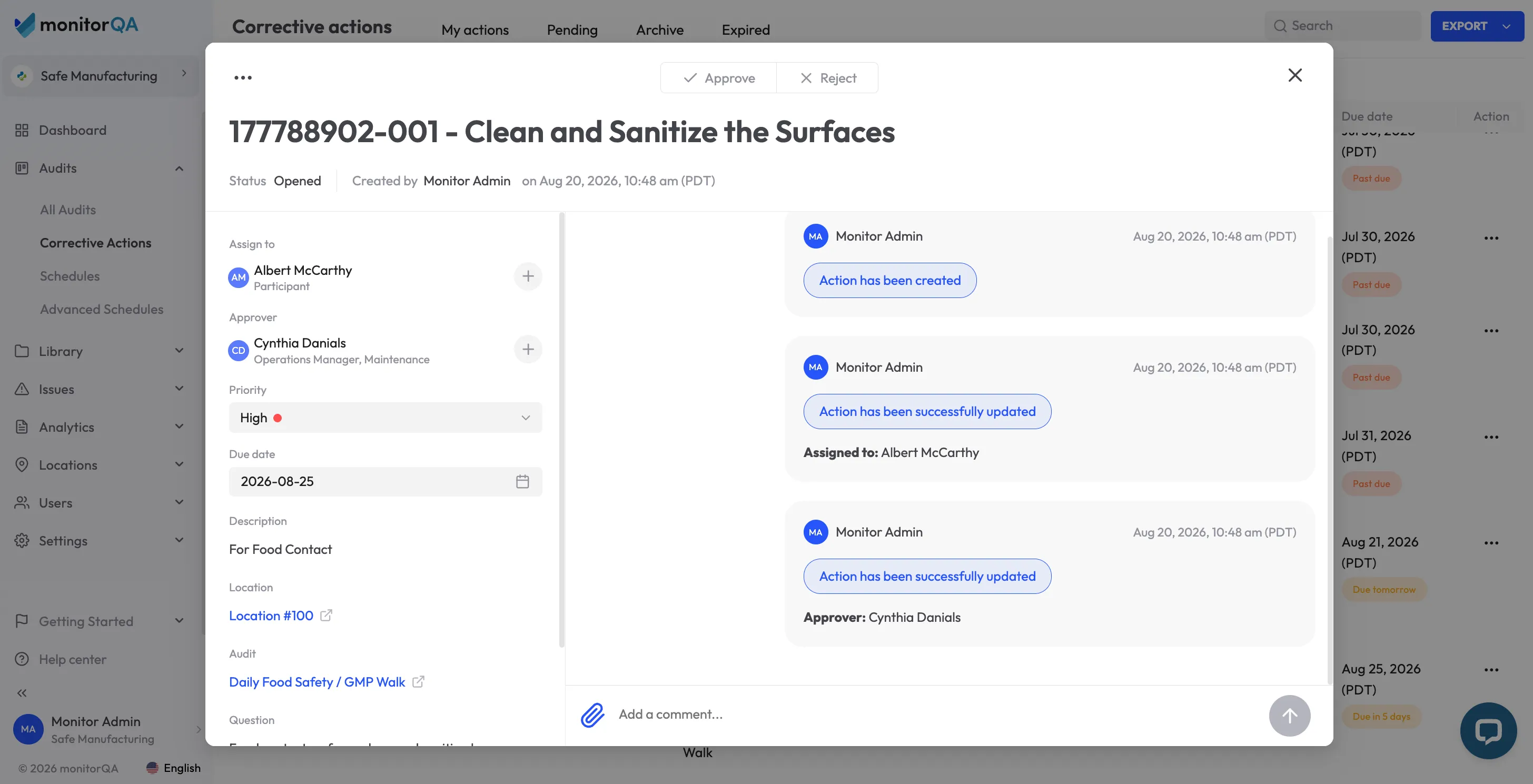
Risk-based prioritization
Not every corrective action needs the same level of urgency. A critical safety issue, customer-impacting defect or regulatory gap may need immediate attention, while a minor documentation problem may reasonably have a longer timeline.
A more effective system allows teams to prioritize actions by factors such as:
- Severity
- Risk
- Potential impact
- Location
- Issue type
- Regulatory significance
- Customer impact
- Due date
Risk-based prioritization helps teams focus limited time and resources on the actions that matter most instead of treating every open row in a spreadsheet as equally urgent.
Automated reminders and escalation
Follow-up should not depend on someone remembering to check a spreadsheet. Automated reminders can notify an owner as a deadline approaches, while escalation rules can alert a manager when an action becomes overdue.
A useful notification workflow may include:
- An acknowledgment when an action is assigned
- Reminders before the deadline
- Alerts when an action becomes overdue
- Escalation to a manager or designated role
- Notifications when evidence is submitted
- Requests for verification or approval
- Confirmation when an action is formally closed
Ask vendors how these rules can be configured for different levels of urgency. A critical action may require a different escalation path from a low-risk administrative task.
<<cta>>
Root-cause investigation
A corrective action should address why the problem occurred, not only what was visible at the time. Structured root-cause fields, guided investigation steps and consistent categorization can help teams investigate more effectively.
Possible contributing factors may include:
- Inadequate training
- Unclear procedures
- Equipment or maintenance failure
- Poor process design
- Inconsistent supervision
- Communication gaps
- Environmental conditions
- Workload or scheduling issues
Documenting the root cause helps teams recognize when several findings have the same underlying driver. It also reduces the risk of repeatedly applying a short-term fix to a recurring problem.
Progress tracking and evidence
An action should remain visible while work is in progress. Owners may need to add comments, upload documents or photos, record partial completion and explain blockers.
Useful progress tracking can show:
- Current status
- Percent or stage of completion
- Recent activity
- Outstanding requirements
- Evidence submitted
- Blockers or dependencies
- Changes to the target date
- People who have reviewed the action
This gives managers a more accurate view than a spreadsheet status field that may be updated infrequently or without supporting context.
Verification before closure
Completing an assigned task should not automatically mean the issue is resolved. Stronger workflows include a separate verification or approval step, often performed by another person or designated role, before final closure.
Verification may involve:
- Reviewing documents or photos
- Confirming that a procedure changed
- Checking that training was completed
- Re-inspecting the affected area
- Testing whether a process now performs as expected
- Confirming that the issue has not recurred
This distinction makes the record more credible and helps confirm that the corrective action produced the intended result.
Trend dashboards and analytics
Corrective action data becomes far more valuable when teams can see patterns across it. Dashboards should make it easy to monitor:
- Recurring failure types
- Overdue actions
- Average time to closure
- Root-cause categories
- Performance by site or department
- High-risk open actions
- Actions grouped by source
- Repeated findings after closure
This is where corrective action management begins contributing to broader process improvement rather than functioning as a ticket-closing exercise.
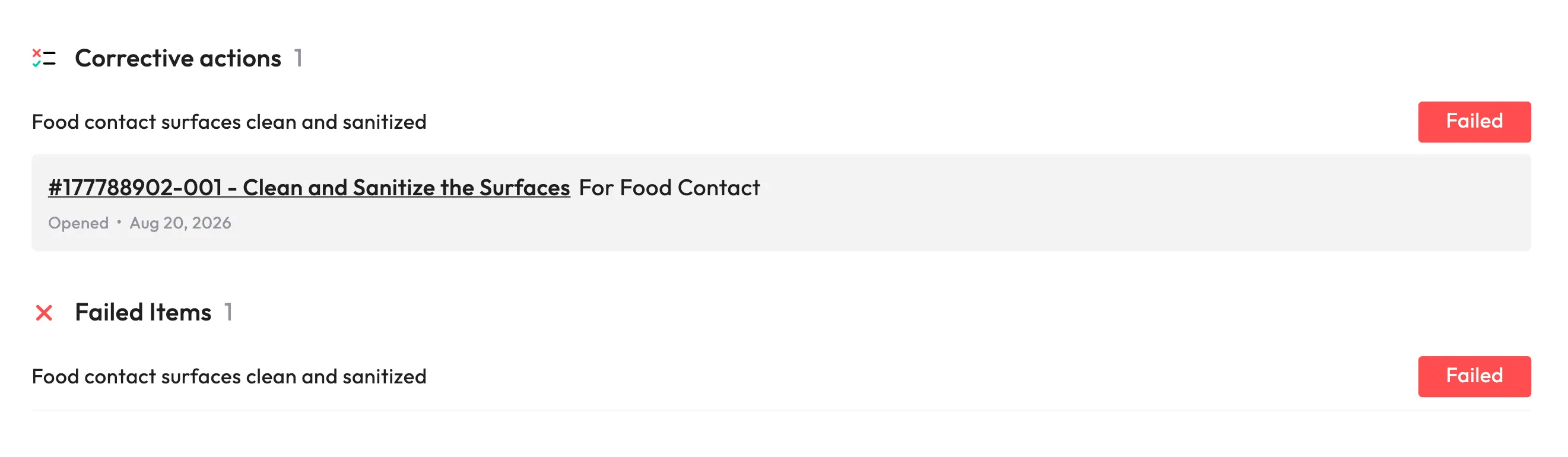
Integration with quality and safety workflows
The most effective platforms connect corrective actions with the systems where findings originate and where follow-up work takes place. That may include audit and inspection tools, incident management, training, change control and other quality or safety systems.
When a corrective action requires retraining, a procedure update or another downstream step, those activities can become part of the same controlled process rather than being managed separately.
Integration also reduces duplicate entry. If teams must manually copy findings from one system into another, many of the same problems associated with spreadsheet tracking can return.
Manual tracking versus corrective action tracking software
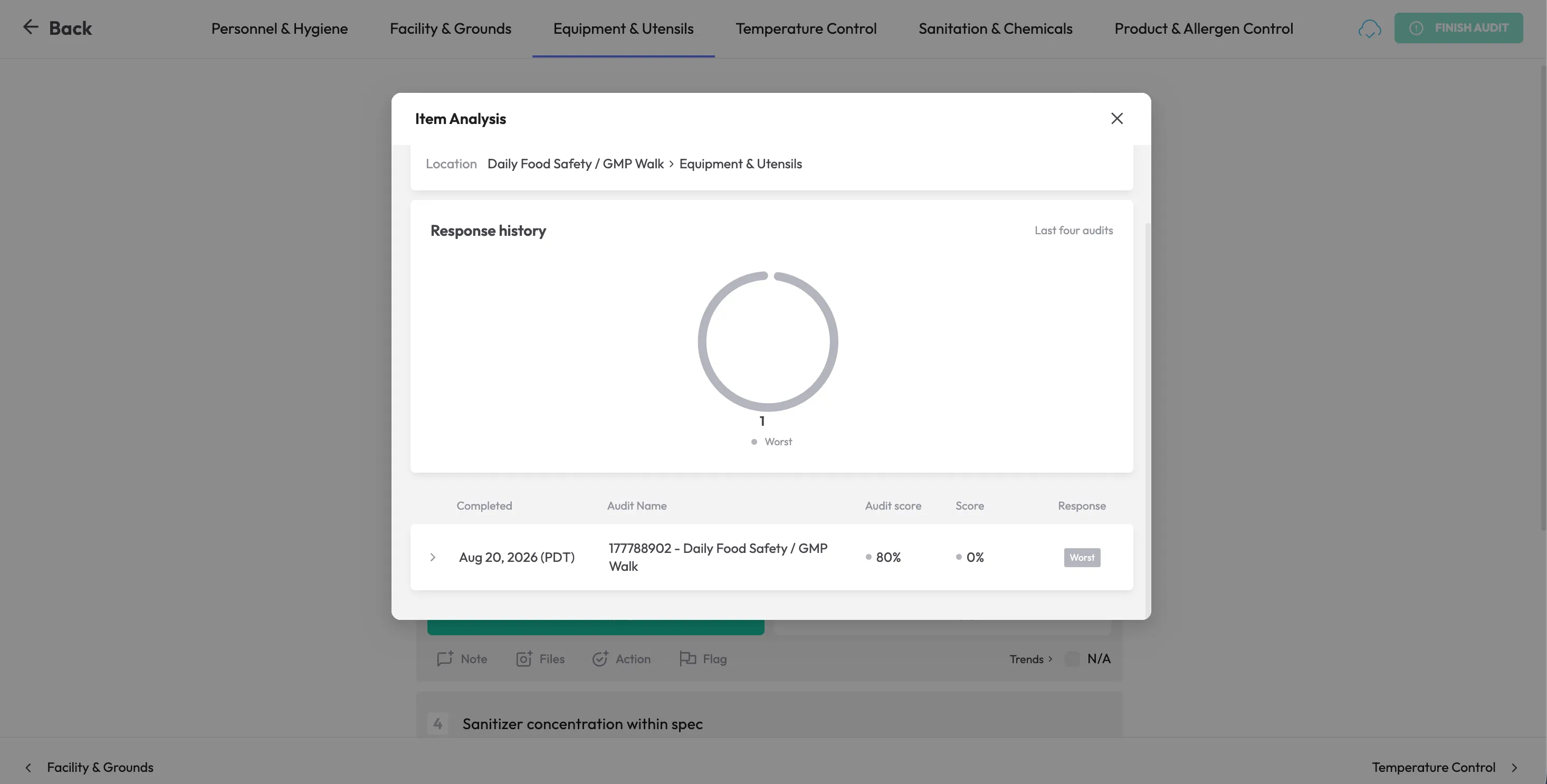
Spreadsheets may be sufficient for a small number of low-risk actions managed by one person. As findings increase or multiple teams become involved, a dedicated corrective action tracking system can provide stronger control, visibility and follow-up.
How to improve corrective action tracking beyond spreadsheets
Before choosing corrective action tracking software, compare platforms against the problems your current process creates. Ask vendors to demonstrate the complete workflow using a realistic finding from your organization.
Can every finding be assigned to one accountable owner?
Ask how ownership is assigned, displayed and changed. Confirm whether the system can distinguish the accountable owner from supporting contributors and the person responsible for final verification.
Can actions be prioritized by risk?
Check whether teams can use severity, risk, deadline, location, issue type or regulatory significance to prioritize work. Ask whether different priority levels can trigger different due dates and escalation rules.
What happens when an action approaches or misses its deadline?
Follow an action through the full notification path. Ask who receives reminders, when escalation occurs and whether managers can see overdue work without requesting manual updates.
Can the owner show progress and explain blockers?
Look for status updates, comments, evidence uploads, dependencies and approved deadline changes. A useful system should show why an action is delayed—not only that it is delayed.
What evidence is required before closure?
Ask whether the workflow can require documents, photos, training records, re-inspection results or other evidence. Also confirm whether an authorized reviewer must approve the resolution.
Can another person verify the resolution?
If the person responsible for completing the work can close the action without review, the process may provide less assurance than it appears to. Look for configurable verification or sign-off steps where appropriate.
Can teams see recurring issues and root-cause patterns?
A useful platform should help identify recurring issue types, root-cause patterns, overdue trends and differences across sites or departments—not simply provide another list of outstanding tasks.
Can findings from different sources enter one workflow?
Determine how findings move into the corrective action process from audits, inspections, incidents, customer complaints and risk assessments. Too much manual re-entry can recreate the problems the software is meant to solve.
Does the system connect with existing tools?
Check how well the platform connects with audit, inspection, incident, training, maintenance, change-control or quality systems already in use. Confirm whether integrations are standard, configurable or dependent on an API.
Can the process scale across teams and locations?
Review how the platform handles additional sites, departments, users, workflows, permissions and reporting requirements. A system should support consistent standards without making local administration unnecessarily difficult.
Is the workflow suitable for your regulatory environment?
Organizations operating under quality or regulatory frameworks may need stronger controls around documentation, approvals, traceability and record retention. Make sure the platform supports the requirements relevant to your industry rather than assuming a generic task-management workflow will be sufficient.
<<cta>>
Best practices for moving away from spreadsheet tracking
Replacing a spreadsheet is not only a software decision. It is an opportunity to make ownership, prioritization and verification part of the corrective action process.
- Map every source of findings. Identify which audits, inspections, incidents, complaints, risk assessments and internal reviews create corrective actions.
- Define a standard action lifecycle. Agree on the stages an action should follow from identification through verification and closure.
- Assign one clear owner. Shared responsibility often becomes no responsibility. Name one person who is accountable for moving each action forward.
- Set closure targets based on severity. A critical safety issue may require immediate action, while a minor documentation problem can reasonably allow more time.
- Create consistent definitions. Standardize terms such as finding, severity, root cause, corrective action, preventive action, verified and closed.
- Document the root cause, not just the remedy. Recording that an employee was retrained explains what was done, but not why the problem occurred.
- Require evidence for higher-risk actions. Define what must be submitted before the action can move to verification.
- Review trends on a regular cadence. Recurring failures across sites, departments or processes can point to a broader weakness.
- Treat closure as a checkpoint, not the end of the story. For higher-risk findings, periodic follow-up can confirm that the corrective action remained effective.
- Pilot the workflow before rolling it out widely. Test ownership, notifications, reports and verification with one team or finding type before expanding.
Is monitorQA an option for corrective action tracking?
If your team is still managing corrective actions across spreadsheets, email and separate trackers, monitorQA is one option to evaluate. It provides a centralized workflow for assigning actions, setting deadlines, tracking progress, collecting evidence and verifying closure across audits, inspections and operational reviews.
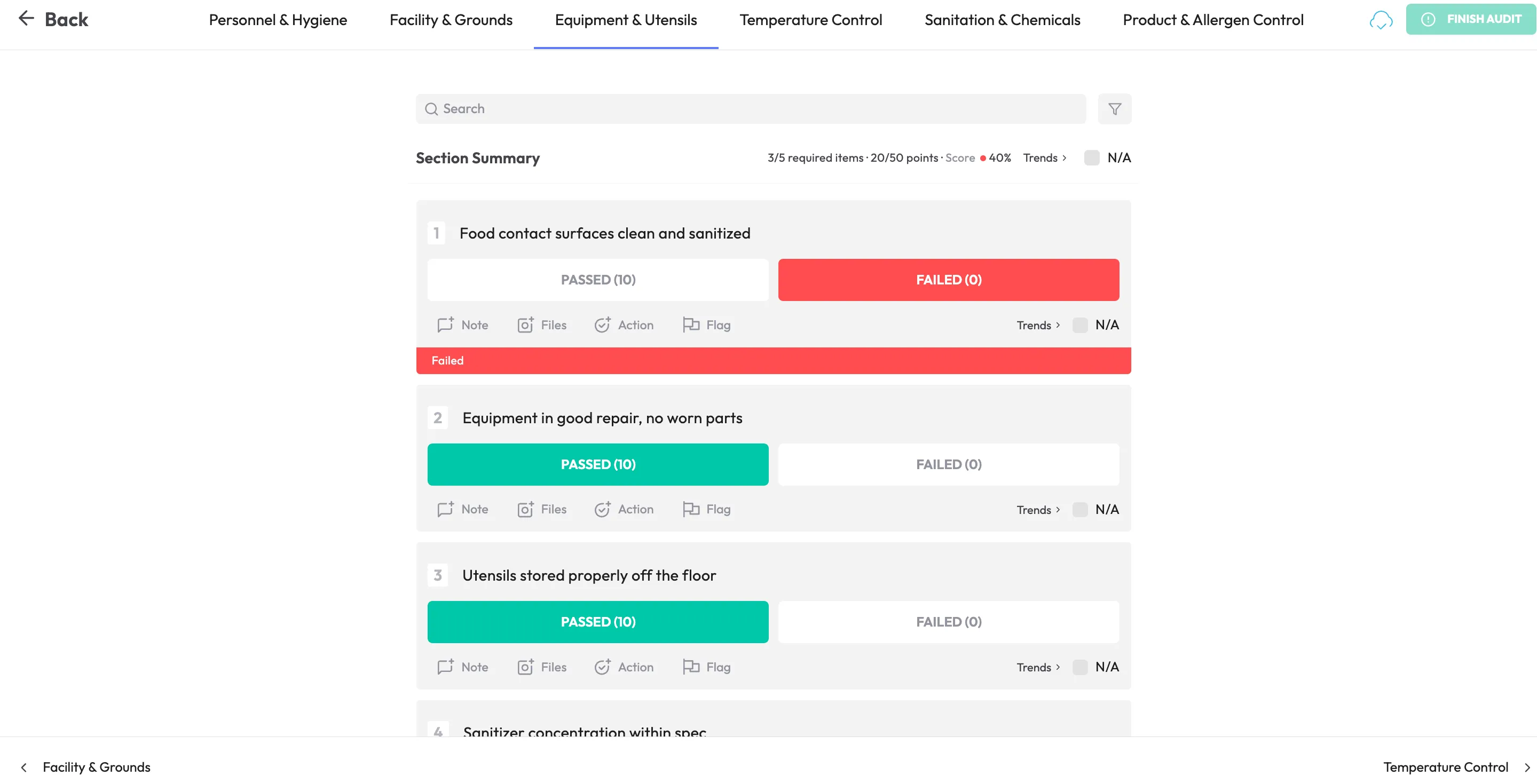
As with any software decision, ask the vendor to demonstrate one of your own findings from identification through root-cause investigation, corrective action, verification and final closure. That will show whether the platform addresses the problems your current spreadsheet process creates.