

Property inspections sit between day-to-day property operations and the systems used to manage them. A move-out inspection may create evidence for a tenant record, identify maintenance work and support a deposit decision. A routine building inspection may reveal a repair need, a safety issue or a recurring condition that property managers need to track across the portfolio.
That is why it is useful to understand how inspections fit into a property management software stack. Property management software may manage leasing, tenant records, accounting and work orders, while inspection tools handle the fieldwork: completing checklists, capturing photos, documenting property conditions and triggering follow-up.
This guide explains what inspection software should do, where it fits alongside property management software and how it can improve visibility and consistency without replacing the core systems your property team already uses.
What is inspection management software?
Inspection management software is a digital system for managing inspections from checklist creation and mobile data collection through findings, corrective actions and reporting.
In property management, inspection software can help teams document the condition of:
- Rental units
- Common areas
- Buildings and facilities
- Appliances and fixtures
- Safety equipment
- Parking areas and outdoor spaces
- Mechanical rooms and other assets
A platform can support move-in and move-out inspections, turnover reviews, routine property checks, safety inspections, equipment checks and maintenance-related inspections.
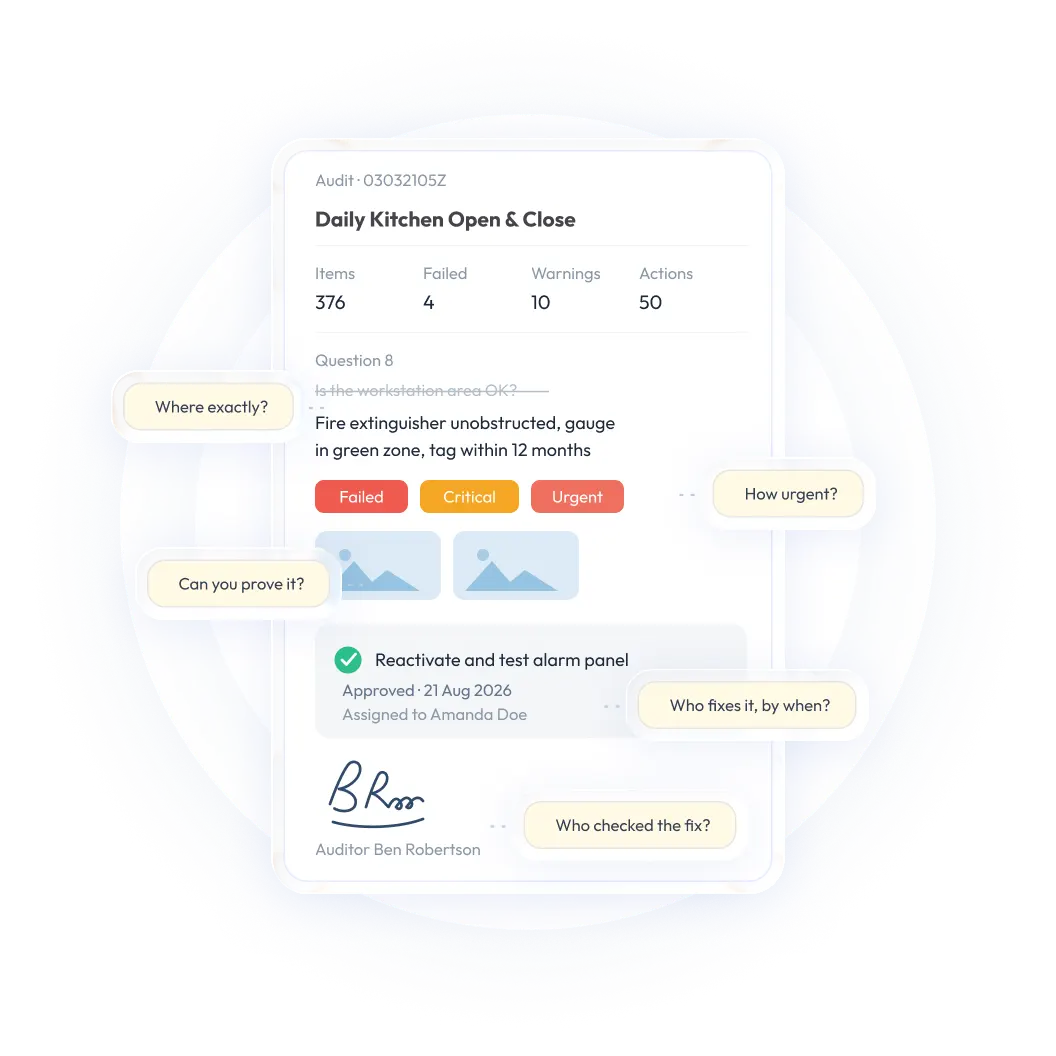
What separates inspection management software from a basic forms app is what happens after an inspection is submitted. A forms tool may replace paper with a digital version of the same document. Inspection management software goes further by turning failed items into follow-up work, notifying the appropriate owner, setting expectations for resolution and keeping the issue visible until it is closed.
The result is a field-execution system for capturing consistent property information. The property management system can remain the primary record for leases, tenants, payments and portfolio administration, while the inspection platform manages the structured work of checking conditions on site.
How inspections fit into a property management software stack
A property management software stack usually includes several systems, each responsible for a different part of the operation. Inspection tools work best when they complement those systems rather than trying to replace all of them.
The exact tools in the stack will vary by organization. Some property teams use one platform for several functions, while others connect specialized systems for accounting, maintenance, tenant communication and inspections.
The important distinction is the role each system plays. Inspection software should make field data more consistent and actionable. It should not force the property team to abandon the systems that already manage leases, tenants or financial operations.
<<cta>>
Leasing and property turnover
Leasing teams may use property management software to manage availability, applications, leases and move-in schedules. Inspection software supports the physical condition checks that take place before and after occupancy.
A move-in inspection can document:
- Room and unit condition
- Existing damage
- Appliances and fixtures
- Safety equipment
- Cleanliness
- Flooring, walls, doors and windows
- Photos and tenant acknowledgements
A move-out inspection can then compare the condition at the end of the tenancy with the original record. This creates a more consistent basis for identifying maintenance needs or documenting potential charges.
The property management system may remain the system of record for the lease and tenant relationship, while the inspection platform handles structured field evidence. This separation helps each system do the work it is designed to do.
Tenant management
Inspection records can support tenant communication when a property condition, repair need or safety issue requires follow-up. A documented inspection gives property managers a clearer record of what was observed, when it was observed and what action was taken.
For example, a manager may need to explain why a repair was scheduled, confirm that a reported condition was reviewed or provide evidence of the state of a unit at a particular point in time. A searchable inspection record can make that process more consistent than relying on separate photos, emails and handwritten notes.
Inspection software should not replace the tenant-management system. Instead, it can provide the evidence and workflow information that property managers need when responding to tenant requests or communicating about a unit’s condition.
Maintenance and work orders
Inspections often identify maintenance needs. A failed checklist item may reveal a leaking fixture, damaged door, faulty appliance, lighting issue or safety concern.
The inspection tool should be able to:
- Create or trigger a corrective action
- Assign the issue to a responsible person
- Set a priority and deadline
- Attach photos and notes
- Track progress
- Confirm completion
- Send the information to a maintenance or work-order system where appropriate
The maintenance platform may remain responsible for scheduling technicians, managing parts and tracking work-order costs. The inspection platform provides the field observation and evidence that start the process.
A connected workflow also reduces duplicate entry. Instead of copying a failed item from a checklist into an email or separate spreadsheet, the team can preserve the original inspection context while the maintenance work is assigned and completed.
Accounting and financial operations
Inspections can produce information that supports accounting and financial decisions without replacing accounting software.
Examples include:
- Evidence for chargeable property damage
- Documentation related to security-deposit decisions
- Records supporting repair-cost estimates
- Data for recurring maintenance budgeting
- Evidence of completed work
- Portfolio-level information about repair trends
The accounting system should continue to manage invoices, payments, general-ledger entries, deposits and financial reporting. Inspection software can provide the documented condition and supporting evidence that accounting or property-management teams may need.
The exact rules for charges, deposits and financial treatment depend on the organization, lease terms and applicable law. Inspection records support the decision-making process; they do not replace the policies, approvals or financial controls that govern it.
Portfolio reporting and oversight
At the portfolio level, inspection data can help managers identify:
- Properties with recurring issues
- Units with repeated maintenance needs
- Locations with overdue inspections
- Common safety or condition failures
- Differences in inspection completion across teams
- Trends in repair or turnover requirements
This gives managers a more consistent operational view than separate paper forms, email threads or disconnected spreadsheets. It can also help property leaders prioritize maintenance, plan resources and identify where local processes need attention.
<<cta>>
What inspection software should handle
A property-focused inspection platform should make fieldwork consistent, capture useful evidence and help the organization act on what inspections reveal.
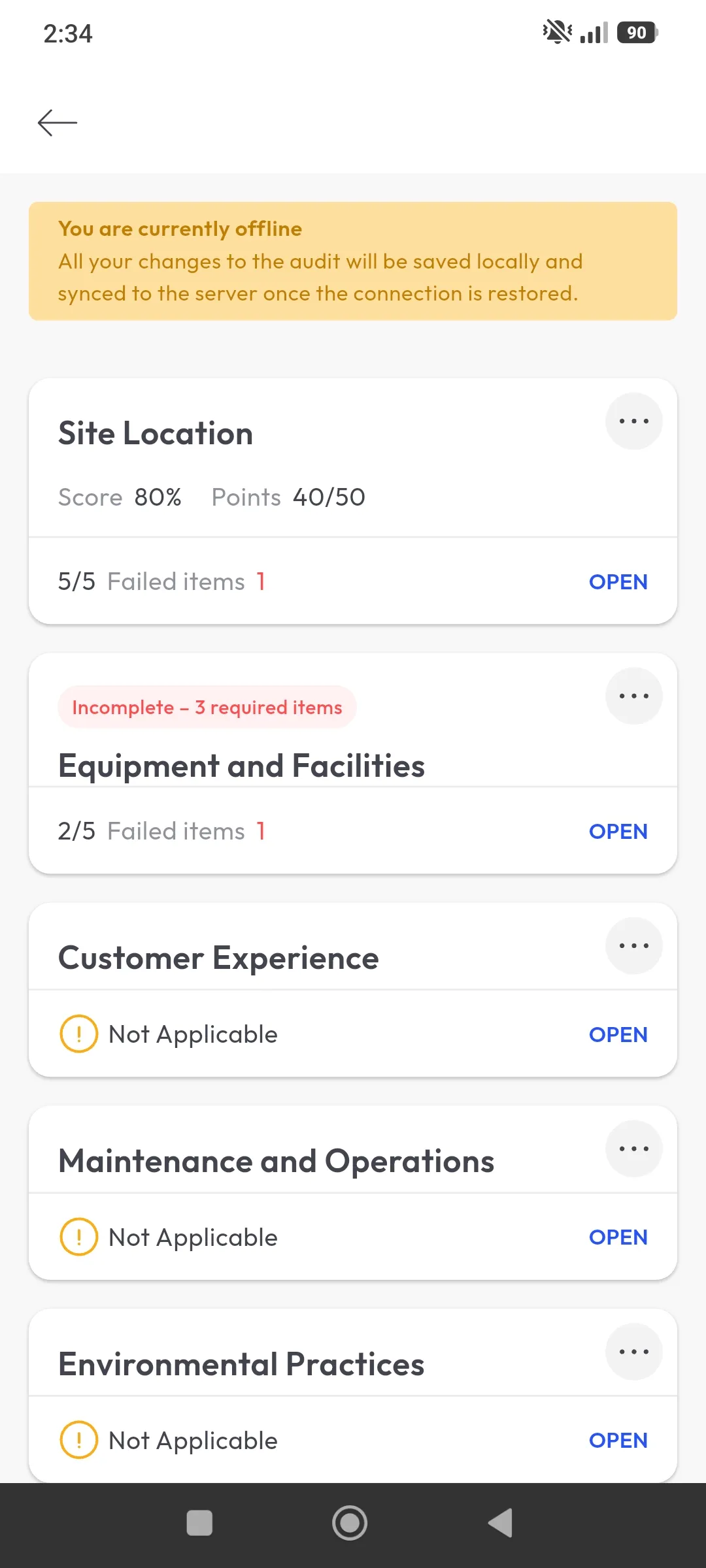
Mobile inspections with offline access
Property teams may inspect vacant units, occupied units, common areas, rooftops, parking areas, mechanical rooms and remote properties where connectivity is inconsistent. Mobile and offline access allow inspectors to complete the work on site rather than writing notes for later entry.
A capable platform should let inspectors:
- Open the correct property or unit checklist
- Complete the inspection on a phone or tablet
- Capture photos and notes at the point of observation
- Record failed items without duplicating data later
- Continue working when connectivity is unreliable
- Synchronize the completed record when a connection returns
Test offline functionality in the environments where your team actually works. A claim that an app supports offline mode is not enough; the workflow should preserve entries, media and status when the device reconnects.
Flexible checklists and conditional logic
Digital checklists should do more than reproduce a paper form on a screen. Conditional logic allows the workflow to adapt based on the inspector’s response.
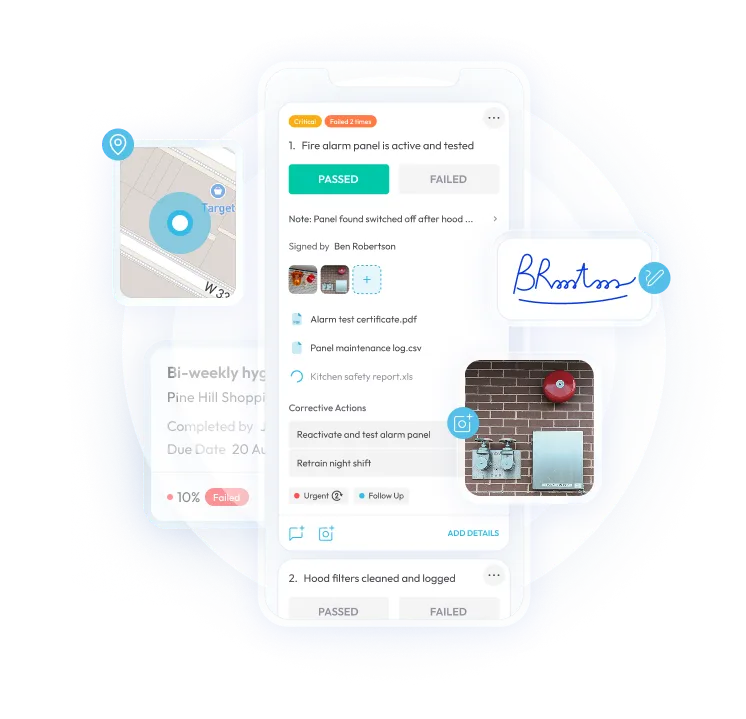
For example, selecting “Fail” for an appliance may trigger additional questions, require a photo and ask whether a maintenance action is needed. Marking a safety item as incomplete may request a comment, identify the responsible person or create a follow-up task.
Flexible checklists can support different property types and inspection events without forcing the team to maintain completely separate processes for every situation. The goal is to standardize the important criteria while allowing the checklist to reflect the property, unit or asset being inspected.
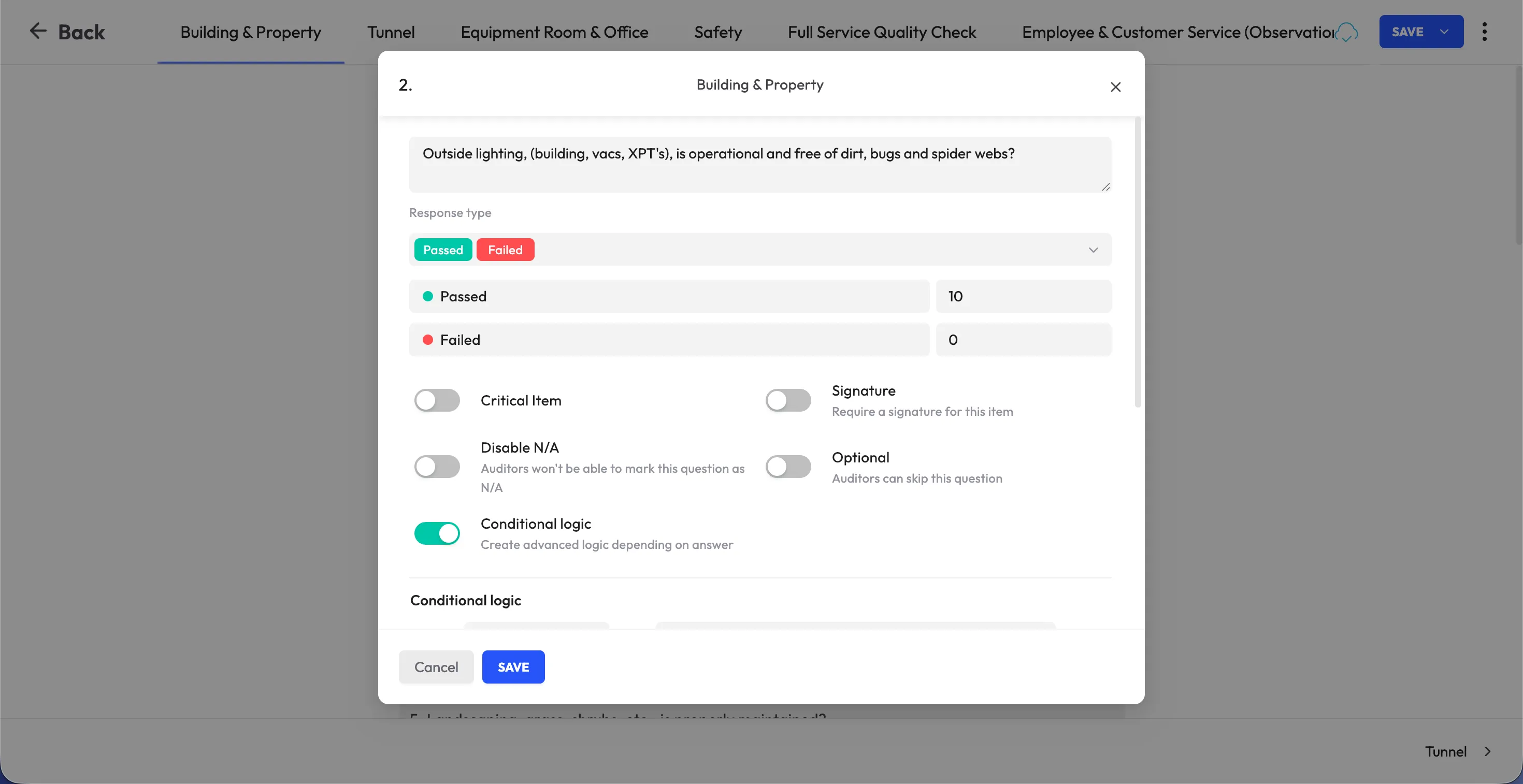
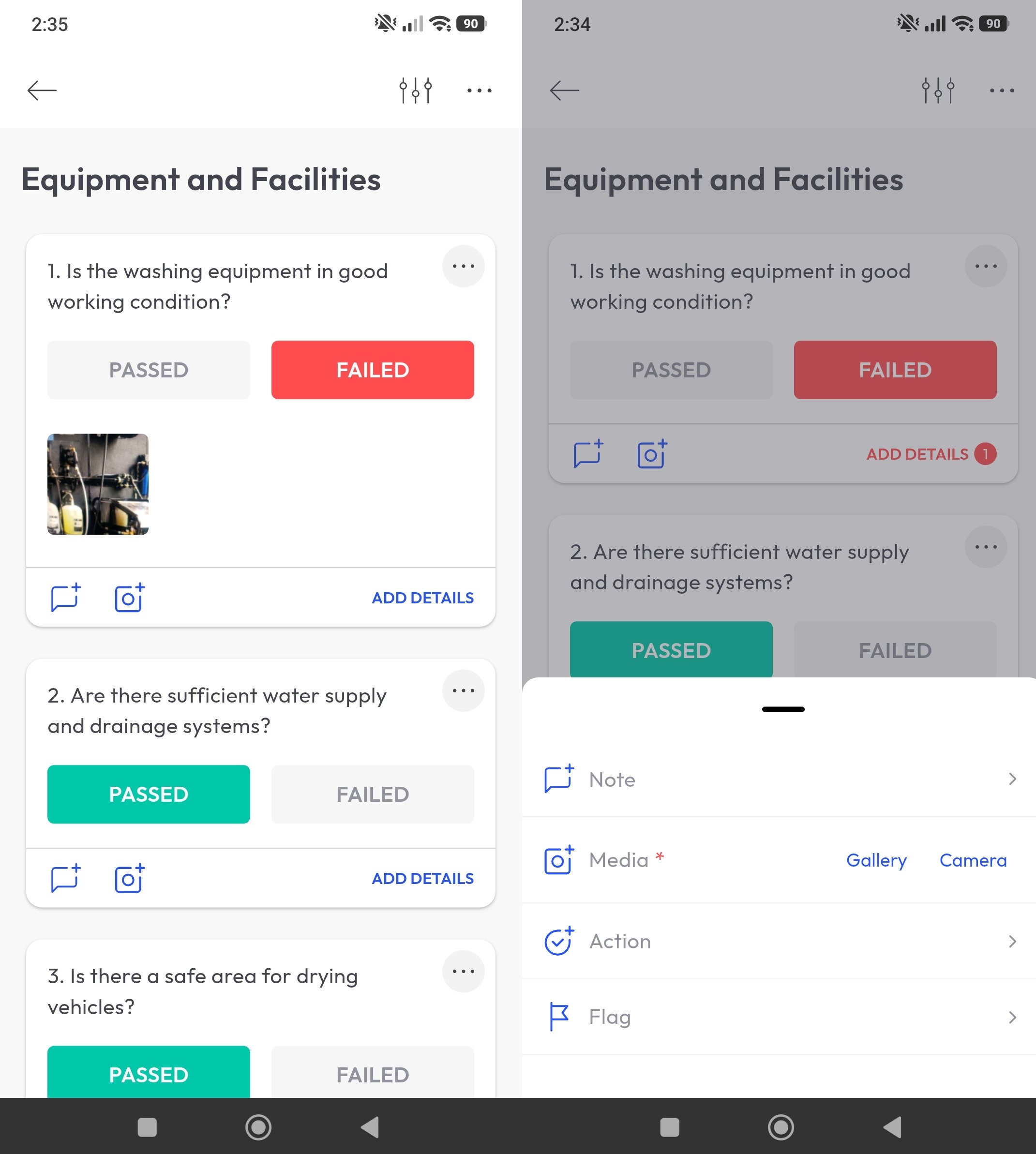
Photo and evidence capture
Photos are particularly important in property inspections because conditions can change after the inspection is completed. A photo can document a damaged surface, appliance condition, leak, blocked access route, missing safety item or completed repair.
The best inspection platforms allow users to capture evidence directly inside the inspection rather than switching between applications and later trying to match files to a property or unit.
Useful evidence may include:
- Photos and videos
- Inspector notes
- Tenant acknowledgements
- Signatures
- Supporting documents
- Before-and-after repair images
- Location or asset details
Evidence should remain connected to the relevant property, unit, inspection item or corrective action so that authorized users can retrieve it later.
Automated corrective action tracking
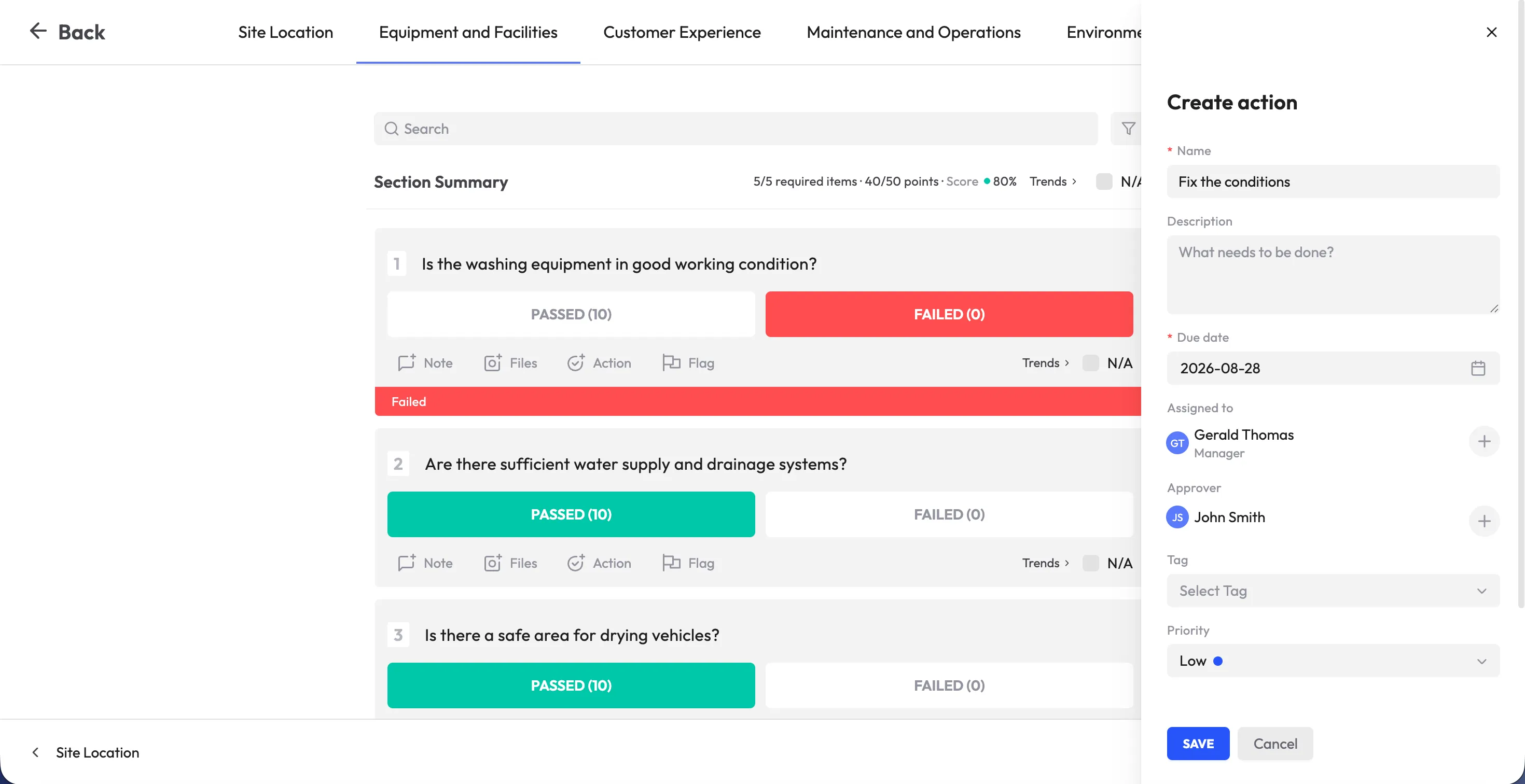
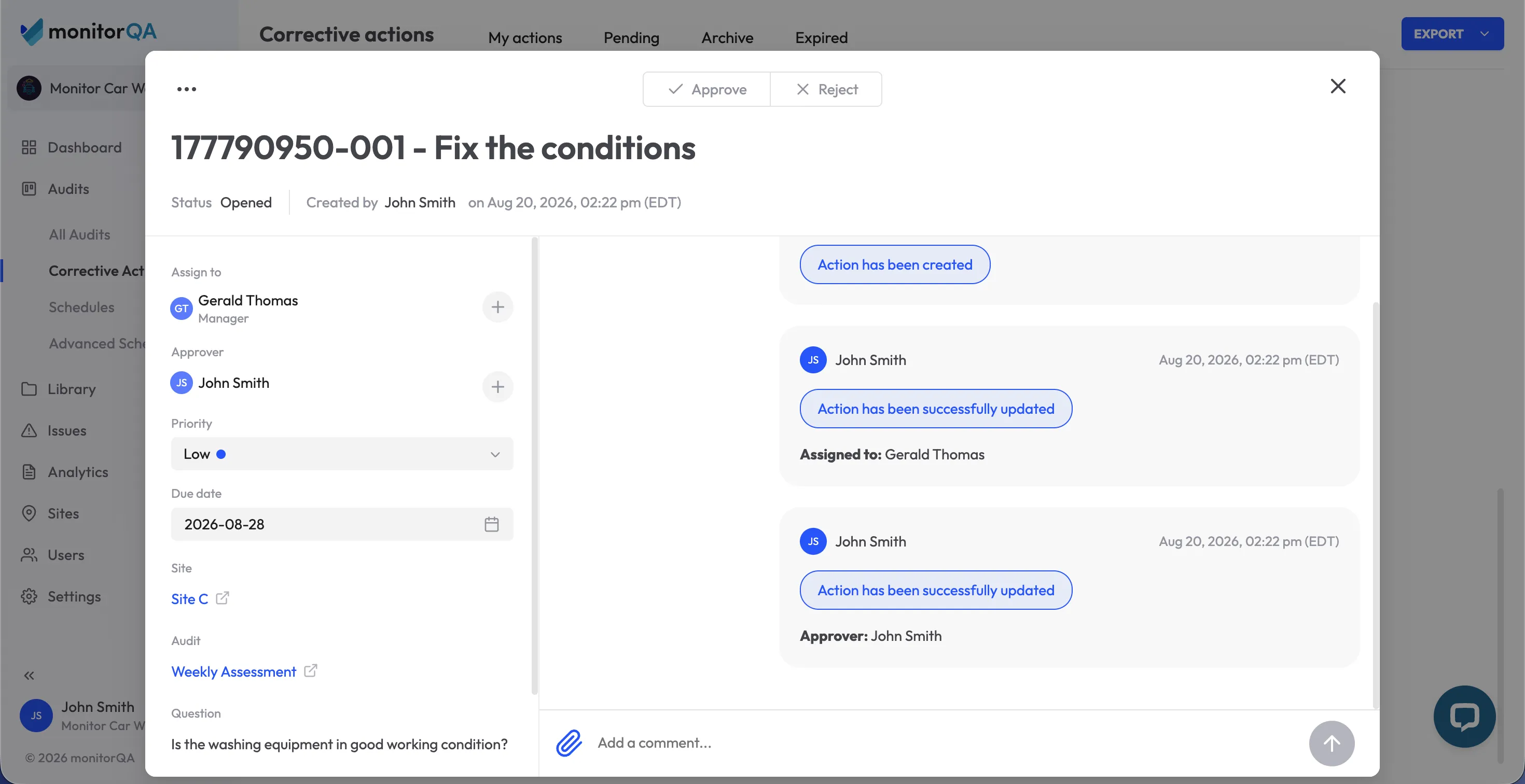
A failed inspection item should lead directly to follow-up. The platform should be able to create a corrective action, assign it to a specific owner, establish a due date and track progress through verification and closure.
A failed item may become:
- A maintenance action
- A turnover task
- A safety repair
- A property-manager follow-up
- A vendor assignment
- A re-inspection requirement
Without this workflow, failed items risk becoming little more than highlighted entries in a completed report. With it, the original observation, owner, deadline, evidence and verification remain connected.
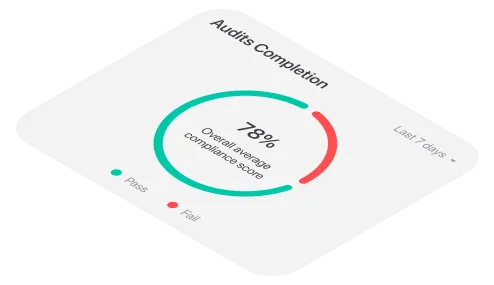
Real-time dashboards and analytics
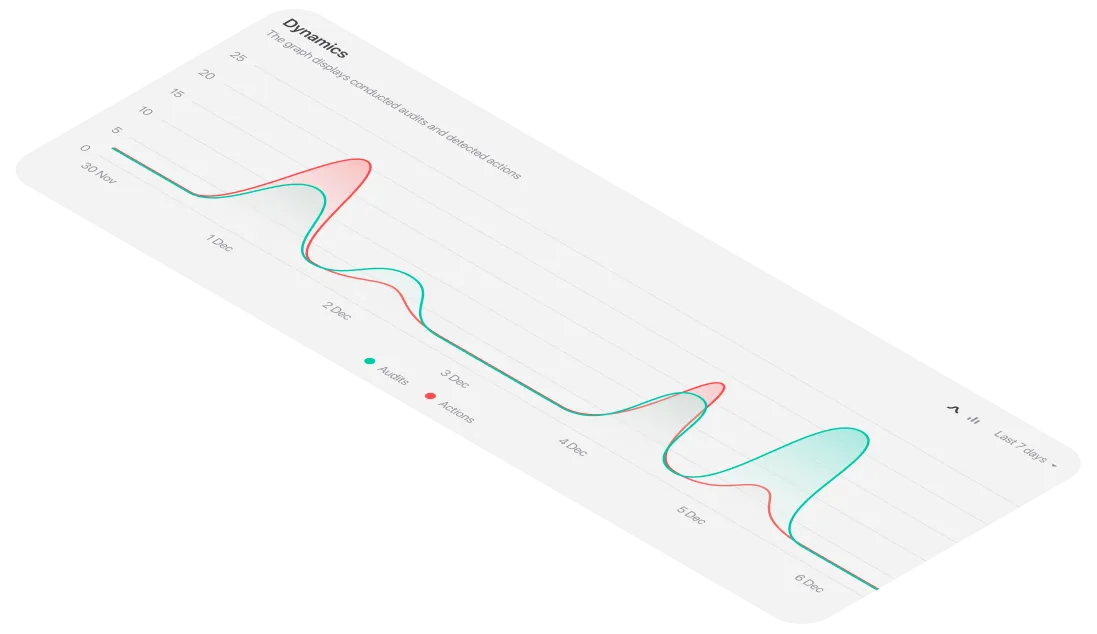
Inspection data becomes more valuable when teams can see patterns as they develop. Dashboards should make it easy to identify:
- Recurring failures
- Higher-risk properties
- Overdue inspections
- Open maintenance-related findings
- Completion rates by team or region
- Trends across inspection types
- Common issues during turnover
- Differences between properties or portfolios
A regional manager may need a portfolio-level overview, while a property manager may need a detailed list of open actions for one building. The platform should support both views without making the field workflow more complicated.
<<cta>>
Integrations and data exchange
Inspection software can connect with the other systems in the property-management stack through integrations, APIs, exports or workflow connections.
Potential connections may include:
- Property management software
- Maintenance and work-order platforms
- Tenant portals
- Accounting systems
- Document-management tools
- Business intelligence platforms
- Identity and access-management systems
The right integration depends on the information your team needs to move between systems. That may include property and unit details, inspection status, failed items, maintenance references, evidence links or completion updates.
A large integration catalog is not automatically useful. Depth and reliability matter more than the number of logos on a vendor page. Ask whether the integration is standard, configurable or dependent on custom development.
What inspection software should not replace
Inspection software is usually a specialized field-execution layer. It should not automatically replace the systems your team already uses for broader property operations.
A property management system may remain the primary system for:
- Lease and occupancy records
- Tenant profiles
- Rent and payment information
- Accounting and financial reporting
- General property records
- Tenant communications
- Portfolio administration
A maintenance or work-order platform may remain the primary system for:
- Technician scheduling
- Parts and inventory
- Work-order costing
- Vendor management
- Repair completion
- Service-level tracking
Inspection software should focus on what it does best:
- Guide inspectors through structured checklists
- Capture conditions and evidence in the field
- Document failed items consistently
- Create or trigger follow-up actions
- Track verification and closure
- Provide inspection-specific reporting
The best setup is often a connected workflow rather than one platform trying to perform every function. Inspection tools improve the quality and visibility of field information, while property management software remains the broader system of record.
Examples of inspections within a property-management workflow
Example 1: Move-out inspection
An inspector completes a mobile checklist, photographs a damaged appliance and records the condition of each room. The inspection record is linked to the unit and move-out event.
A maintenance action is assigned for the appliance, while the relevant evidence can be reviewed by the property-management and accounting teams. The property management system continues to manage the tenant record and lease workflow; the inspection platform preserves the detailed condition record.
Example 2: Routine property inspection
A property manager inspects common areas, fire-safety equipment and building conditions. A failed item automatically creates a follow-up action for the site team.
Portfolio managers can see whether the issue was addressed and whether similar failures are recurring across other properties. The resulting trend may influence maintenance planning, training or future inspection frequency.
Example 3: Maintenance follow-up
A property employee identifies a leak during an inspection. They attach a photo, record the exact location and submit the finding. The issue is routed to maintenance, where the repair can be scheduled and completed.
After the repair, the responsible person adds completion evidence and the property manager verifies the result against the original inspection record.
Example 4: Turnover readiness inspection
A team uses a standardized checklist to confirm that a unit is ready for the next tenant. The workflow covers cleanliness, fixtures, appliances, safety equipment and visible damage.
Conditional questions require additional evidence when an item fails. Managers can see which units are ready, which require work and which tasks are delaying turnover.
Inspection software versus paper and generic forms
Generic forms can work for a simple, low-volume process. They become less useful when property teams need consistent records across many units, evidence that remains connected to an inspection and reliable follow-up on failed items.
How inspection software differs from property management and maintenance systems
These systems often work together, but they serve different purposes.
Property management software
Property management software typically supports the broader operation, including leasing, tenant records, rent, payments, accounting, property details and portfolio administration. It may also include maintenance or inspection features, depending on the product.
Inspection management software
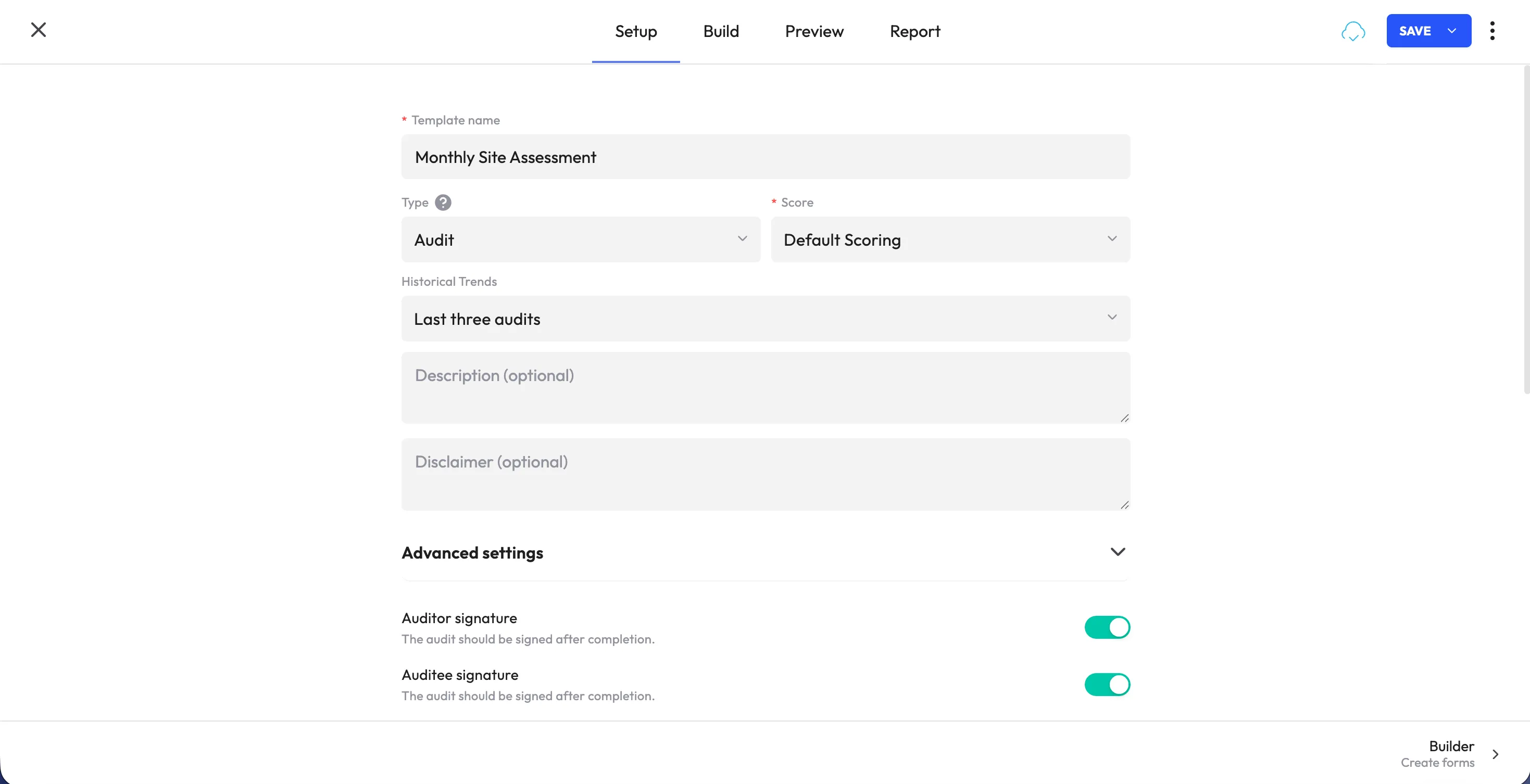
Inspection management software is focused on field execution. It supports checklist creation, mobile data capture, condition documentation, evidence collection, findings and corrective-action workflows.
Maintenance or work-order software
Maintenance systems are designed to manage the work required to repair or maintain a property. They may handle technician scheduling, vendor assignment, inventory, cost tracking, work-order status and service-level targets.
In practice, a property management team may use all three layers. An inspection identifies a condition, the inspection platform preserves the evidence and initiates follow-up, the maintenance system manages the repair and the property management platform maintains the broader unit and tenant record.
How to choose inspection software for a property management team
Before comparing platforms, identify where your current workflow breaks down. The goal is to improve property-condition visibility and follow-up without adding another disconnected system.
- Can the system organize inspections by property, building, unit, floor or asset? The structure should match the way your portfolio is managed.
- Can it support different inspection types? Check whether the platform can handle move-in, move-out, turnover, routine, safety and maintenance-related inspections.
- Can inspectors capture photos and notes directly from a mobile device? Test the real field workflow rather than relying on a feature list.
- Does it work offline? Run an inspection in a location where connectivity is limited and verify that entries and evidence synchronize correctly.
- Can failed items trigger maintenance or corrective actions? Follow one issue from discovery to assignment, progress tracking, verification and closure.
- Can managers see open findings across the portfolio? Review dashboards by property, unit, region, inspection type, owner and status.
- Can the system connect with existing property management software? Ask what information can move between systems and whether the connection is standard or custom.
- Can it export evidence for tenant, accounting or compliance workflows? Confirm that authorized users can retrieve usable records when needed.
- Does it preserve a clear history of property condition? Check how inspection records, edits, approvals, photos and follow-up actions are stored.
- Can the platform support different property types? Make sure checklists and workflows can adapt across apartments, commercial properties, hotels, facilities or other assets you manage.
- Is the experience simple for staff, contractors and vendors? A complicated field process can reduce adoption and create incomplete records.
- Can administrators manage templates themselves? Property teams should not need vendor assistance for every checklist or workflow update.
<<cta>>
Best practices for implementing inspection software
A successful rollout requires more than digitizing an existing form. Use implementation as an opportunity to create a consistent property-inspection process.
- Standardize the process before moving it into software. Remove unnecessary questions, clarify inspection criteria and align checklists with relevant internal, safety or regulatory requirements.
- Separate inspection types clearly. Move-in, move-out, turnover, routine and safety inspections may require different checklists, evidence and approval steps.
- Include frontline users in the pilot. Inspectors, property managers, maintenance staff and contractors can quickly identify friction that may be invisible to administrators.
- Use real properties during testing. Pilot the system with normal working conditions, including occupied units, vacant units, poor connectivity and different property layouts.
- Define what happens after a failed item. Specify who receives the action, how deadlines are set, when escalation occurs and who verifies the result.
- Agree on system boundaries. Decide which information belongs in the inspection platform, property management software, maintenance system and accounting system.
- Connect only the workflows that add value. Start with the property records, maintenance references or status updates your team actually needs to exchange.
- Review trends beyond individual inspections. Recurring failures may reveal a property-level, vendor-level or portfolio-level issue.
- Create a data-retention and access approach. Property condition records may contain sensitive tenant or asset information. Define who can view, edit, export and retain them.
- Measure adoption and results. Track inspection completion, time to resolve findings, overdue actions, evidence quality and recurring failures.
Is monitorQA an option for property inspection workflows?
If your property team needs a field-focused inspection platform that works alongside its existing property management software, monitorQA is one option to evaluate. It supports mobile checklists, photo evidence, corrective-action tracking, reporting and visibility across inspections and operational follow-up.
The best way to evaluate any platform is to use a real move-in, move-out, routine or maintenance-related workflow. Ask the vendor to show how a property is selected, how the inspection is completed, how a failed item is assigned and how the final resolution is verified.
See the monitorQA pricing page or book a demo.