Tuesday, 3 p.m. The food safety inspector will visit the Boston central kitchen on Thursday morning. Or it’s your biggest catering client, whose quality team wants to “walk through your controls.” Either way, someone is going to ask to see the evidence.
The evidence exists. Every audit, every corrective action and every logged complaint is in monitorQA. The problem is assembling it: printing the last few audits, working out what happened to that pest finding from August, scrolling through issues to find the complaint about the allergen label and checking whether anyone closed it.
That usually takes a day, most of it on Wednesday, most of it by the person who should be getting the kitchen ready.
What a good inspection pack shows
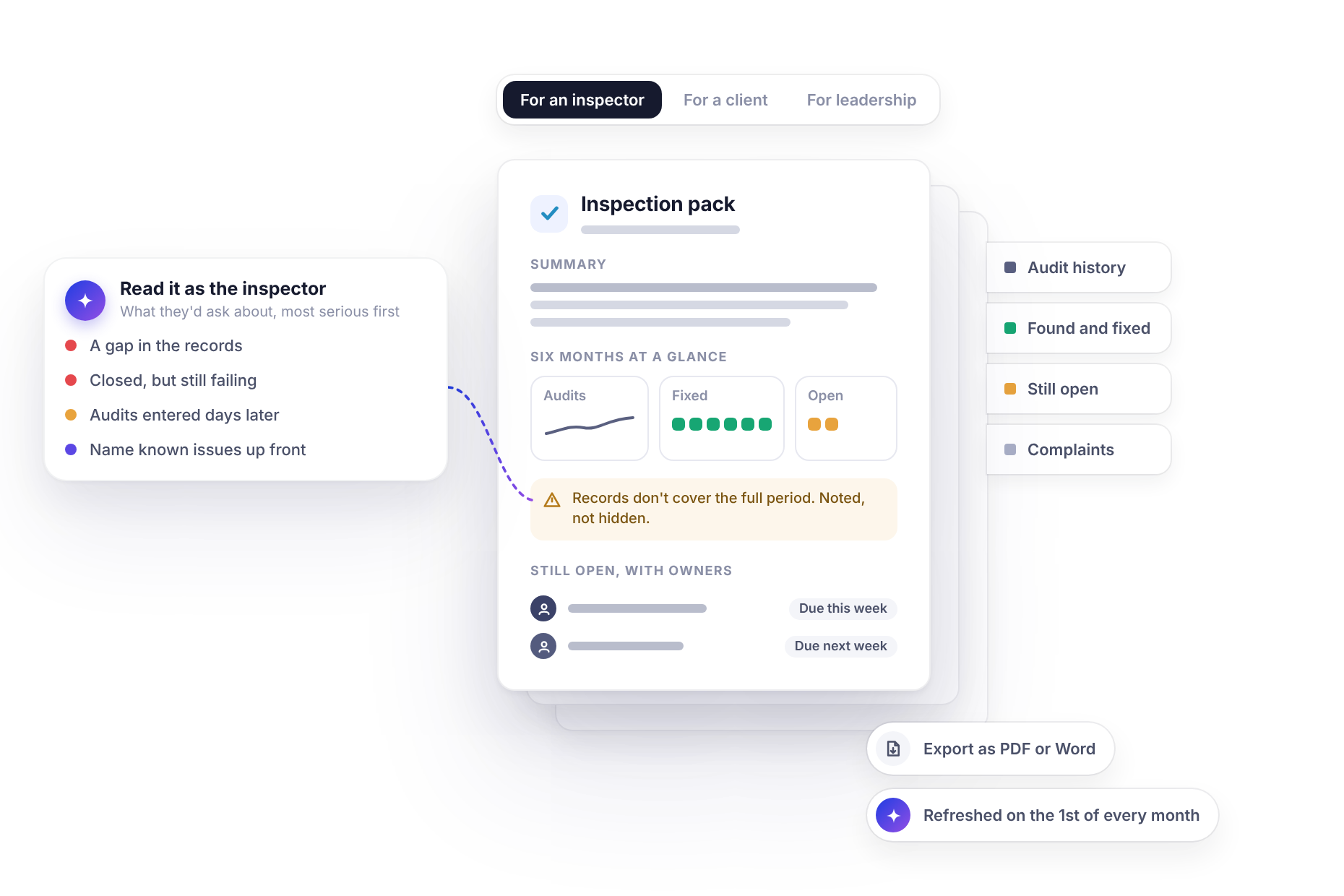
Whether it’s an inspector, a client or your own board, the questions tend to be the same. They want to see that you check regularly, that you act on what you find and that you know what’s still open. A good pack covers:
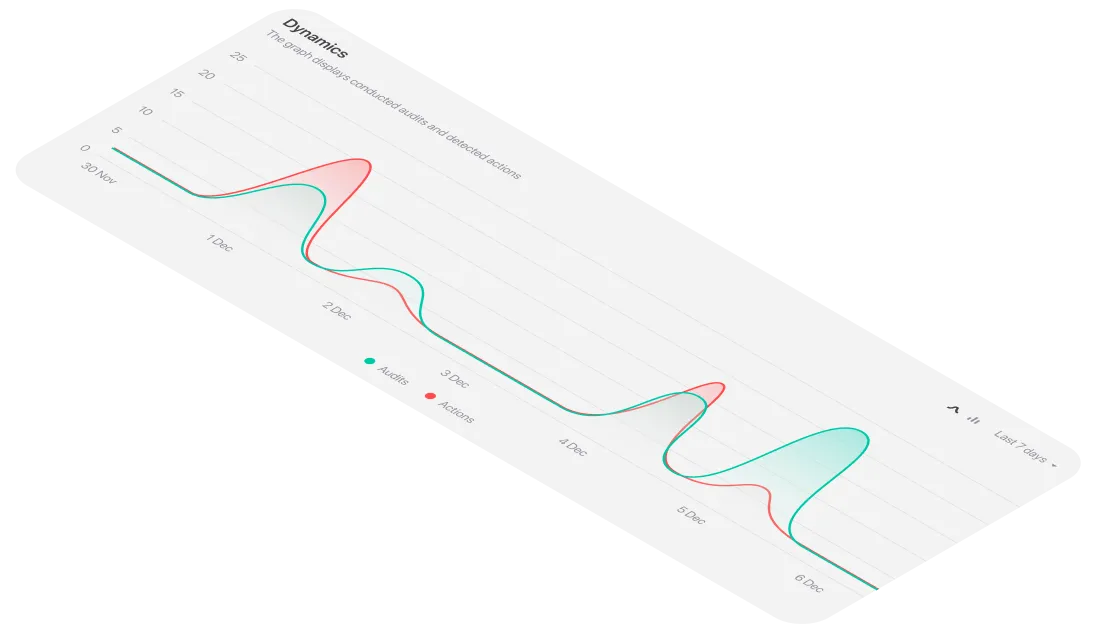
- Recent audit results for the site, with dates, scores and the trend over time.
- What was found and fixed: corrective actions completed, with dates so it’s clear problems didn’t just sit.
- What’s still open, with an owner and a due date for each item.
- Complaints and how they were handled, from when they arrived to what was done.
The third point is the one people are tempted to leave out. Don’t. An inspector who finds an open item you didn’t mention will trust everything else in the pack a little less. One who sees it listed, with an owner and a date, sees an organization that knows its own business.
(If you’re thinking about what belongs in an individual audit report, What actually belongs in a good audit report covers that. This post is about pulling many of them together for one site.)
<<cta>>
One request
With monitorQA connected to an assistant like Claude (the setup guide covers how), the pack starts with one sentence:
“Prepare an inspection pack for our Boston site covering the last six months: audits, corrective actions and complaints, with a one-page summary up front.”
The assistant reads the site’s audits, actions and issues in monitorQA and puts them together into a single document, organized the way the request asked. In Claude, that’s a document you can edit, comment on and export to PDF or Word.
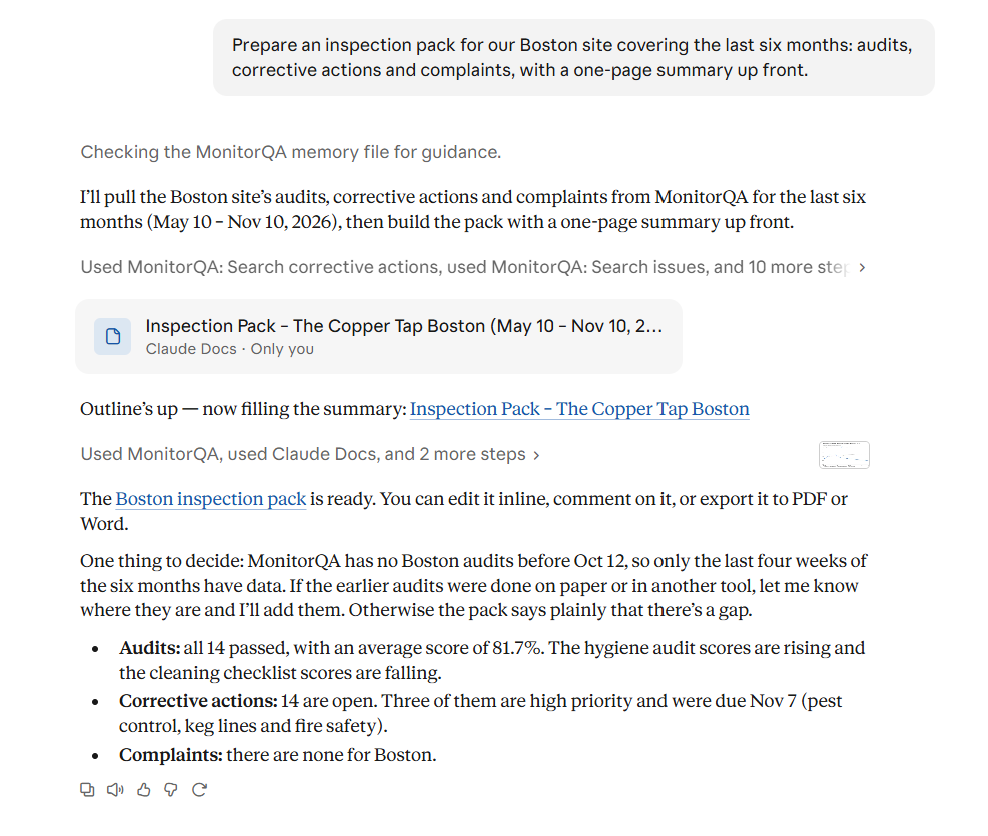
That question matters. If part of the period has no records in monitorQA, the pack says so plainly instead of quietly covering a shorter window. Better to hear it from the assistant on Tuesday than from the inspector on Thursday.
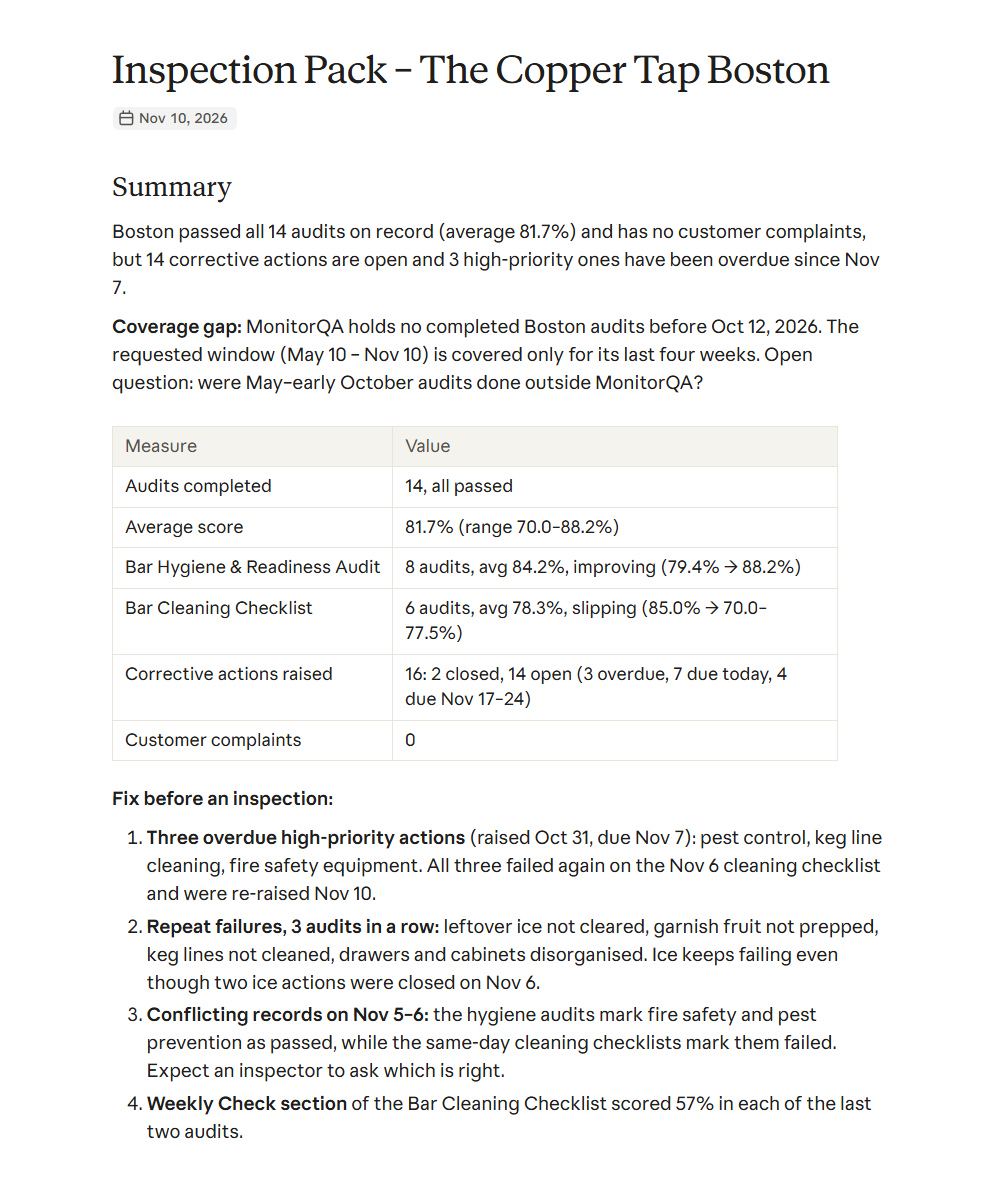
The summary page is what most visitors read properly. The rest of the pack is there for when they ask “can you show me?”
What’s inside
Behind the summary, the pack follows the same order as the questions it’s likely to face:
- Audit history: each audit with date, checklist, auditor and score, plus the failed items for each.
- Fixed: completed corrective actions, each with what was found, who fixed it and when.
- Open: the two remaining actions, with owner, due date and current status.
- Complaints: each logged issue, when it arrived, what was done (including any follow-up audit) and when it was closed.
The pack is a document the assistant writes, not a report generated by monitorQA. The records themselves stay in monitorQA and the pack can cite the audit and action numbers it draws on so anyone can check a line against the source.
<<cta>>
Read it before they do
The most valuable thing you can do on Wednesday is look at the pack the way a visitor will. The assistant can help with that too:
“Read this pack as if you were the inspector. What would you ask about and what looks weak?”
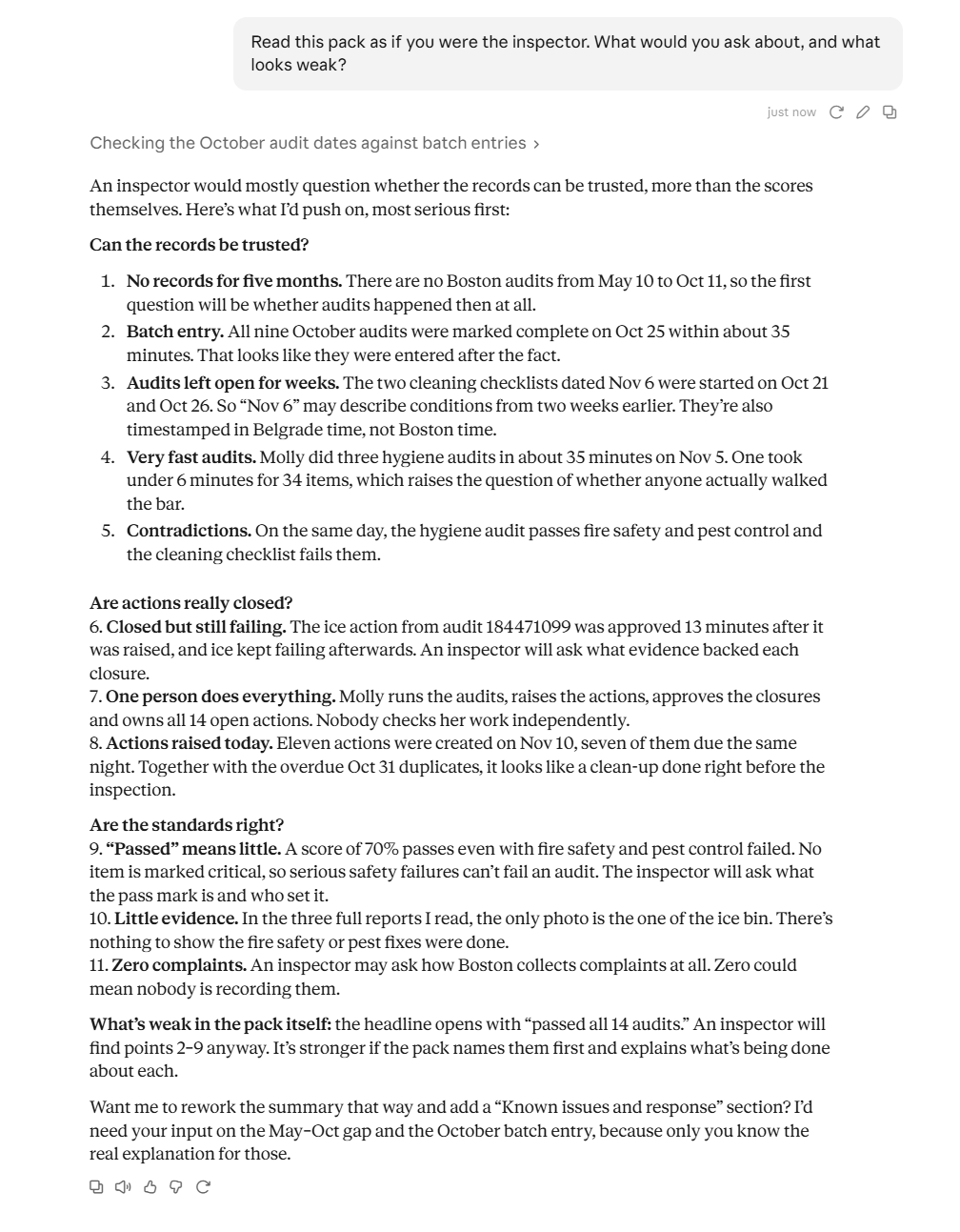
Notice that a good review doesn’t stop at the scores. It also asks whether the records themselves will hold up: audits entered in a batch days later, actions closed while the same item kept failing, one person doing every step. (Can you trust your audit data? looks at these in more detail.)
That list is your Wednesday. Chase the overdue door seal and get it fixed or rescheduled with a reason. Book the missing follow-up. Have an answer ready about the handwashing question. By Thursday, the weak spots are either fixed or explained, which is all anyone can reasonably ask.
Tailor it to the audience
The same records make different packs for different readers:
- For an inspector, keep it to the checklists that matter to them, such as food safety and hygiene and leave out internal ones like brand standards.
- For a client, focus on the areas covered by your contract, and check what you’re comfortable sharing before you hand it over.
- For your own leadership, add comparisons with other sites, which an external visitor doesn’t need.
In every case, check for personal details before the pack leaves the building. Complaints may include customers’ names or contact details and staff names may not belong in a document for a client. Ask the assistant to leave them out, then read it yourself.
<<cta>>
What the pack doesn’t replace
A pack shows your audit program at work. It isn’t a substitute for any records your regulator specifically requires, such as temperature logs or training certificates, which vary by country and industry. If your inspector will expect those, check whether they’re in monitorQA and included or have them ready separately.
Keep one ready
The best inspection pack is the one you made before anyone called. If your assistant supports scheduled tasks, you can refresh it for your key sites on the first of every month (Stop checking dashboards covers how). When the call comes, Wednesday is for reading, not assembling.
Start with the site most likely to get a visit. Build its pack today, read it as a stranger would and fix the first weak spot you find. If an inspector calls next week, you’ll be glad you did.