

Many internal audit teams start with spreadsheets because they are familiar, flexible and easy to share. Over time, however, spreadsheet-based audit processes can become difficult to control. Different versions of the audit plan circulate between team members, evidence is stored across email and shared folders, and managers may not have a current view of open findings or overdue corrective actions.
Reporting can also become a manual process of combining files, checking formulas and chasing updates from site managers. By the time the final report reaches leadership, some of the information may already be out of date. Without a clear audit trail, it can also be difficult to confirm who reviewed a finding, changed a record or verified that an action was completed.
These challenges explain why internal audit teams are switching to software. Internal audit software connects planning, fieldwork, evidence, findings, reporting and follow-up in one structured workflow. This guide explains the practical problems spreadsheets create and how audit software can improve collaboration, accountability and management oversight.
What is internal audit software?
Internal audit software is a centralized system that helps teams plan audits, conduct fieldwork, organize evidence, document findings and track corrective actions through closure. It provides a more structured alternative to managing audit work across spreadsheets, email chains, paper files and shared folders.
Depending on the organization, internal audit software may support financial controls, SOX testing, operational reviews, quality audits, safety inspections, compliance programs or broader risk-based audit work. This guide focuses primarily on operational internal audit workflows, particularly where teams need to audit physical locations, business processes and operational controls across multiple sites.
A typical platform can connect the full audit lifecycle by helping teams:
- Define an audit universe of sites, processes, systems and business areas
- Prioritize audits according to risk
- Schedule and assign audit work
- Complete fieldwork from a desktop or mobile device
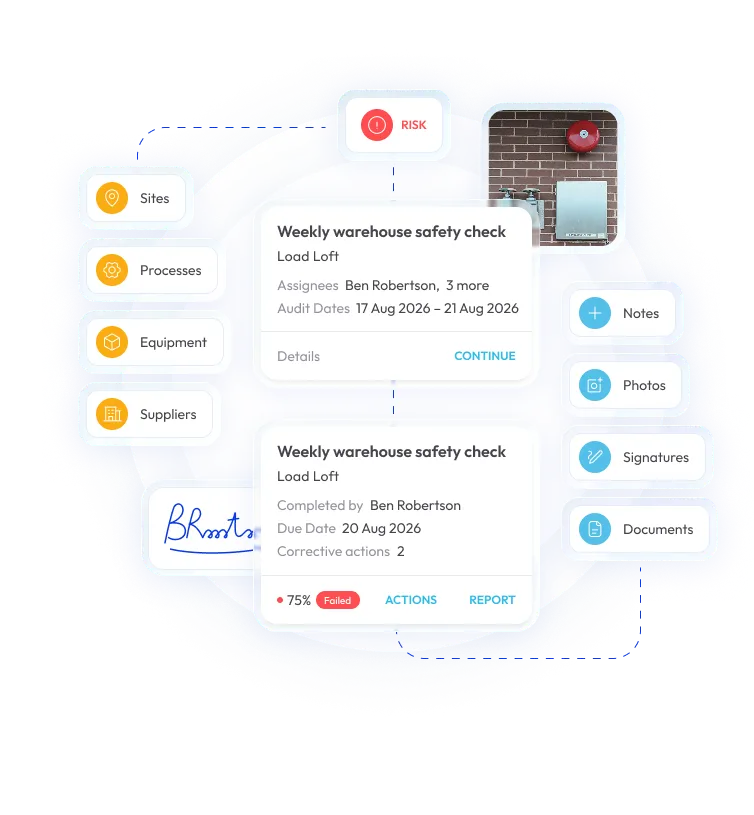
- Capture photos, notes, documents, signatures and other evidence
- Record findings and assign corrective actions
- Monitor remediation progress and overdue work
- Report on audit coverage, risks, findings and trends
- Maintain a more consistent record of changes, reviews and closure
In operational environments such as manufacturing, distribution, hospitality and franchise businesses, the software brings those activities into one connected workflow.
Why internal audit teams are moving off spreadsheets
Spreadsheets can be useful for simple, low-volume audit programs. The problems usually appear as the organization grows, audit activity becomes more frequent or more people need to collaborate on the same records.
The following challenges are prompting many internal audit teams to replace spreadsheets with purpose-built software.
1. Version control becomes difficult
An audit plan, checklist or findings tracker may exist in several locations at once. One version may be saved on a shared drive, another attached to an email and a third stored on an auditor’s laptop. Team members may not know which file is current, whether a change has been reviewed or whether an outdated version was used during fieldwork.
This creates more than an administrative inconvenience. Different versions can produce inconsistent audit results, duplicate work and uncertainty about which information should be reported to leadership.
Internal audit software provides a centralized source of audit information. Instead of passing files back and forth, authorized users work from the same system, with templates, assignments, findings and status information available in one place.
2. Audit evidence becomes scattered
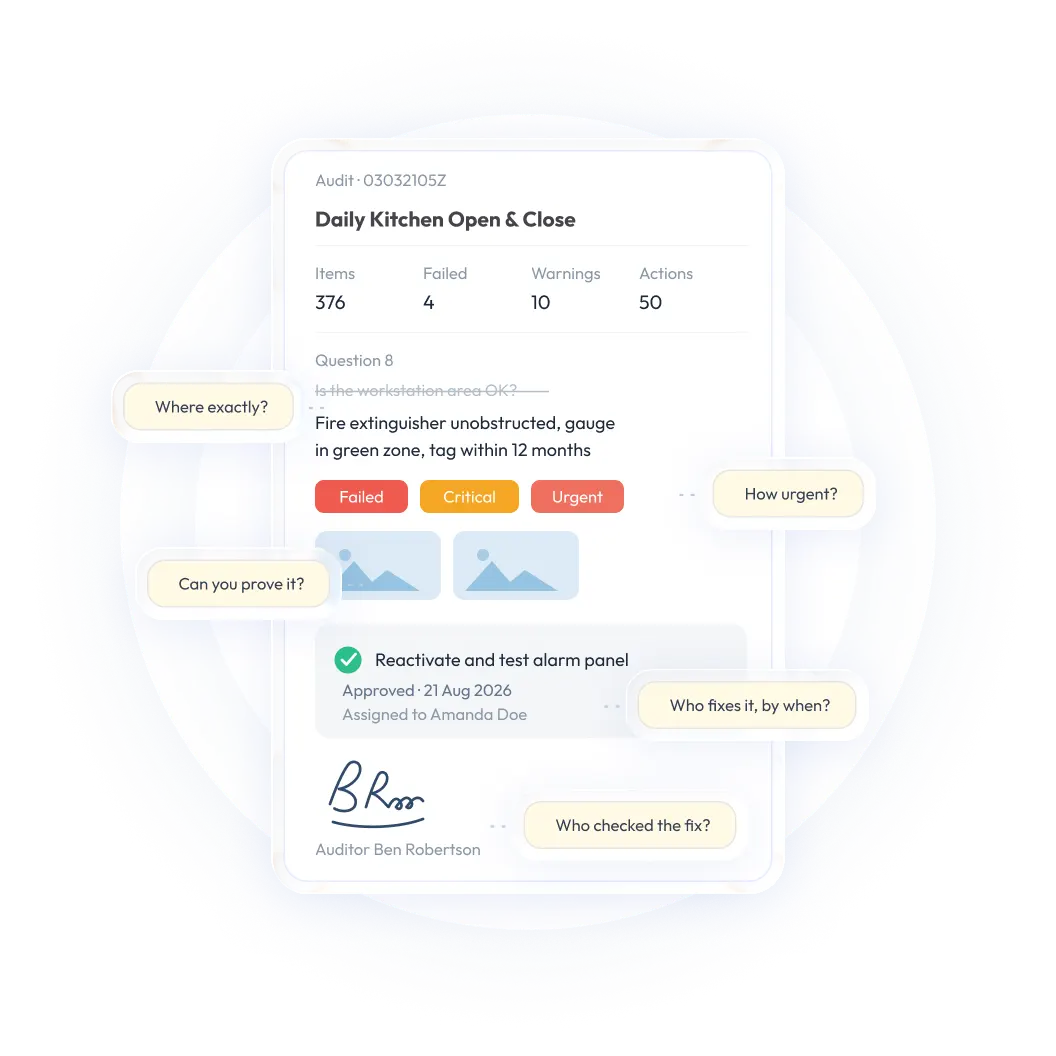
Internal audit evidence may include interview notes, photographs, supporting documents, approvals, screenshots and correspondence. In a spreadsheet-based process, these records are often distributed across email inboxes, shared drives, local folders and paper files.
Finding the right evidence later can take significant time, especially when an executive, regulator, customer or board member requests documentation from a previous audit. Auditors may also spend time checking whether an attachment is the final version or whether important supporting material is missing.
With internal audit software, evidence can be connected to the relevant audit, checklist item, control or finding. This makes records easier to search, review and retrieve when a question arises months after fieldwork is complete.
3. Managers have limited visibility
A spreadsheet may show the status of a finding when someone last updated it, but it does not necessarily give managers a current view of audit coverage, emerging risks, overdue actions or recurring issues across locations.
Leadership may need to request separate updates from individual auditors or site managers before understanding what is happening across the audit program. By the time those updates are consolidated, the underlying information may have changed.
A centralized audit platform can give managers a clearer view of planned and completed audits, open findings, remediation progress and areas that need attention. Different users can receive different views of the same underlying information, from executive summaries to detailed site-level action lists.
4. Reporting requires manual consolidation
Spreadsheet-based reporting often involves combining files, checking formulas, standardizing terminology and following up with local teams for missing information. This takes time and increases the risk of inconsistent calculations or outdated results.
Manual reporting also makes it harder to answer questions quickly. A manager may want to know which sites have the highest number of overdue actions, which control failures are recurring or whether audit coverage reflects current risk. Producing that analysis from separate spreadsheets can require substantial manual work.
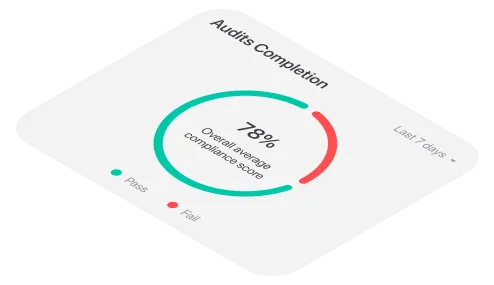
Internal audit software can consolidate audit activity and produce dashboards or reports from the same data used for fieldwork and follow-up. This does not eliminate the need for judgment but it reduces the administrative effort required to prepare a reliable view of performance.
5. Audit trails are weak or incomplete
A spreadsheet can show the current value in a cell, but it may not provide a practical record of who changed the information, who reviewed the evidence, when an action was approved or how closure was verified.
That makes it harder to reconstruct the history of an audit finding. It may also weaken confidence in the completeness and defensibility of the audit record.
A centralized system can provide a more consistent history of audit activity, including ownership, updates, evidence, reviews and corrective action status. The exact audit trail varies by platform, so teams should confirm which changes are recorded and how that history can be accessed.
6. Follow-up depends on individual reminders
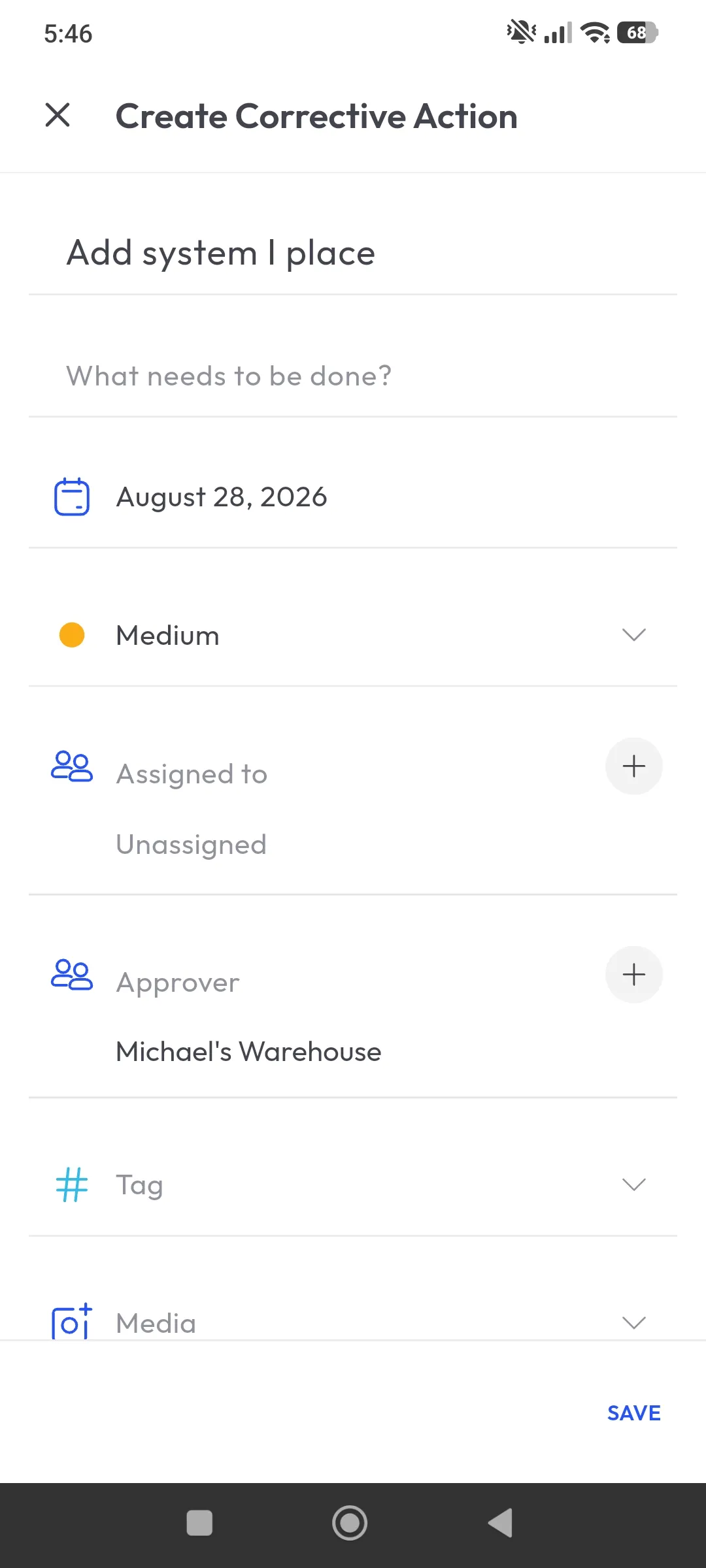
In many spreadsheet-based processes, a finding is recorded in one file while follow-up takes place through email, meetings or verbal reminders. Ownership can become unclear, deadlines can be missed and auditors may spend too much time chasing status updates.
Purpose-built internal audit software can turn a finding into a structured corrective action. The action can be assigned to a specific owner, given a deadline and tracked through progress, reminders, escalation, verification and closure.
This gives both auditors and managers clearer accountability without requiring every update to be managed manually.
7. Collaboration becomes harder as the audit program grows
A spreadsheet may work for one auditor or one location. Collaboration becomes more difficult when audit teams, sites, departments and stakeholders increase. Sending files to more people does not necessarily create shared visibility; it can create more duplicate versions and conflicting updates.
Internal audit software allows relevant users to work within the same workflow while permissions help control what each person can view or change. Auditors can manage fieldwork, site managers can respond to findings and leaders can review progress without relying on separate files for every audience.
How internal audit software improves the audit workflow
The value of internal audit software is not simply that it replaces a spreadsheet with another digital screen. Its value comes from connecting the steps that spreadsheets often separate: planning, fieldwork, evidence, findings, reporting and remediation.
Centralized audit planning and audit universe management
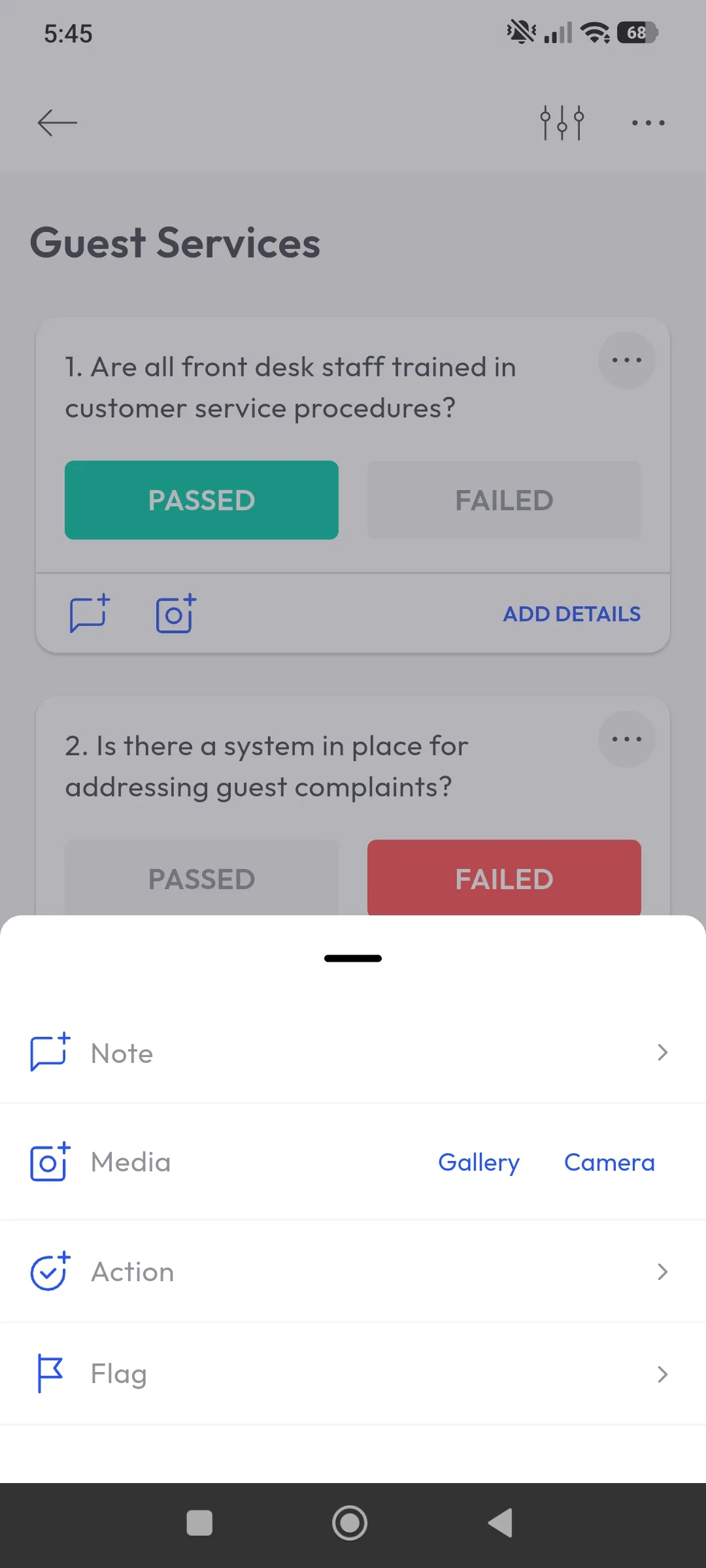
A strong platform should help teams define the complete audit universe, including sites, processes, systems, departments and other areas subject to review. Teams can then prioritize audits according to risk instead of relying only on a fixed annual or quarterly rotation.
Risk-based planning helps direct limited audit resources toward areas with the greatest exposure. It can also make it easier to see whether the audit program provides adequate coverage across locations and processes.
Ask whether the platform allows your organization to define risk factors, adjust risk scores and connect planning decisions to the audits that are scheduled and completed.
Digital workpapers and evidence management
Digital workpapers give auditors a structured place to organize evidence, notes, approvals and supporting documents. Instead of searching through inboxes and shared folders, users can retrieve information according to the relevant audit, site, date, finding or control.
This can improve collaboration during review and make later retrieval more efficient. It also creates a clearer record when findings need to be challenged, escalated or defended.
When evaluating a platform, test how many steps are required to locate the evidence associated with a specific finding. A repository is only useful if teams can find and interpret the information when they need it.
Collaborative findings and corrective actions
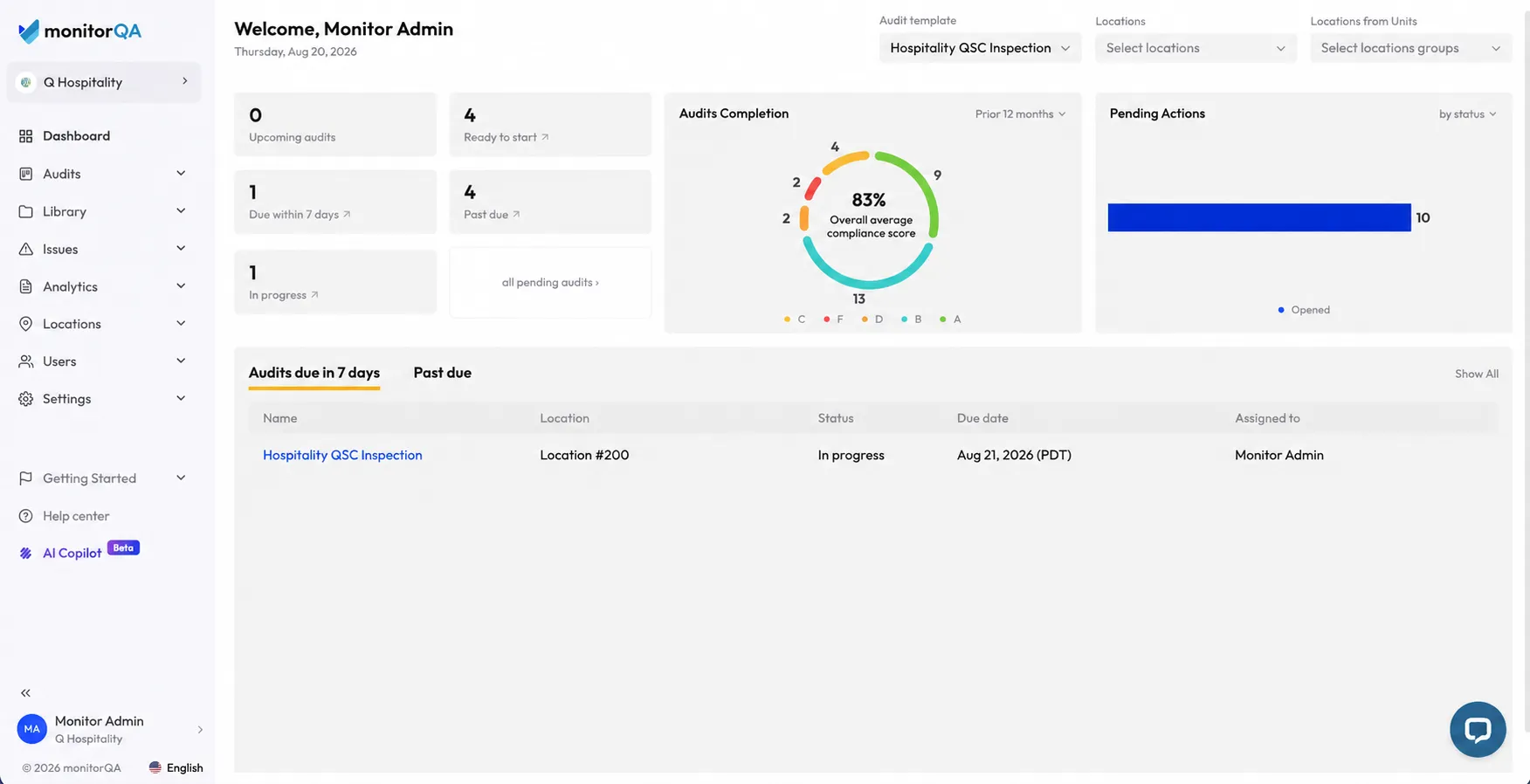
Identifying a finding is only the first step. The audit workflow should make it clear who is responsible for responding, when the response is due and what evidence is required before closure.
Internal audit software can support this process by allowing teams to:
- Create a corrective action directly from a finding
- Assign the action to a specific owner
- Set a due date, priority and expected response
- Attach documents, photos or comments
- Send reminders and escalate overdue work
- Review the proposed resolution
- Verify completion before closing the action
This keeps remediation connected to the original audit rather than moving it into a separate tracking system. monitorQA also provides resources on corrective action tracking software and structured follow-up.
Mobile fieldwork and offline access
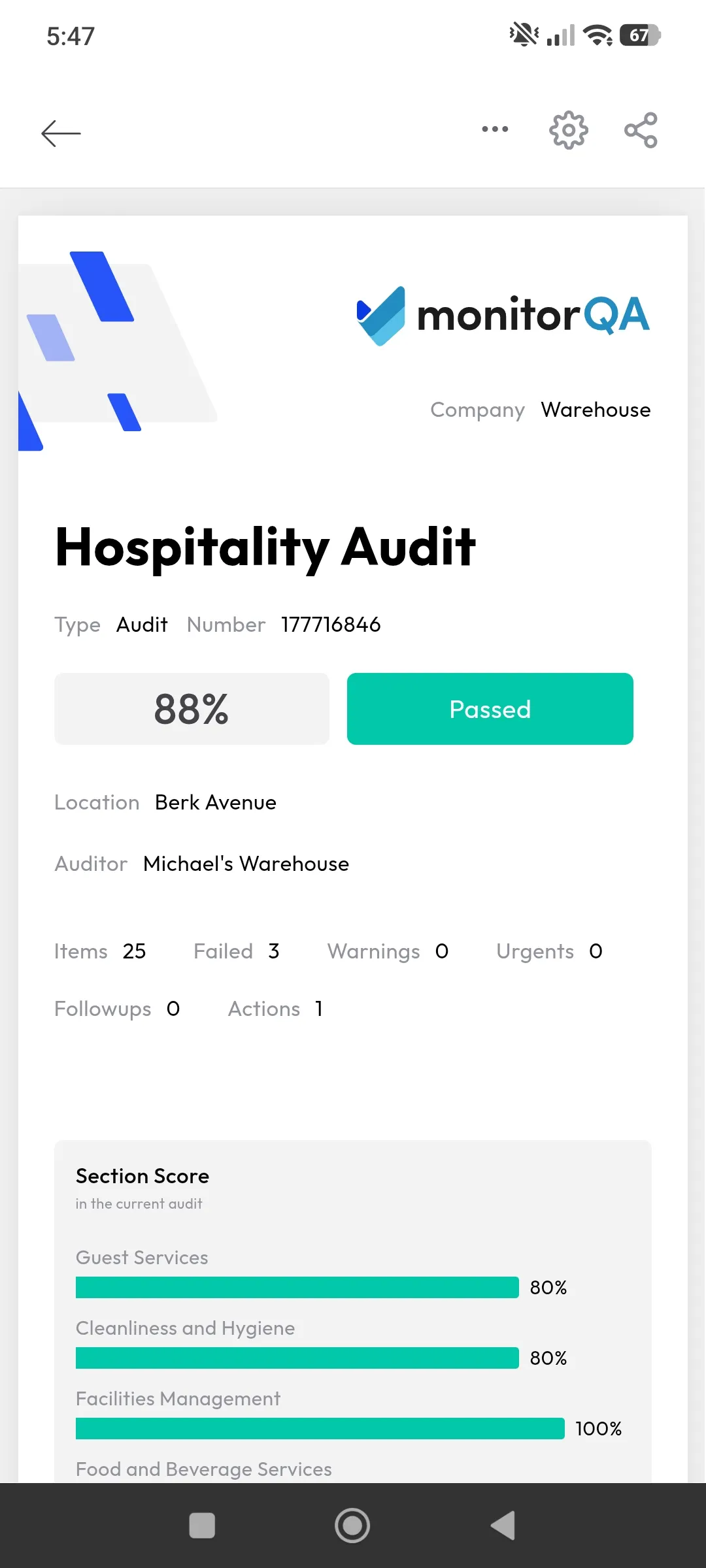
Auditors and site teams often work in warehouses, plants, remote facilities and other environments where connectivity may be limited. A mobile workflow allows users to capture findings and evidence at the point of inspection instead of taking notes on paper and entering them later.
Look for mobile checklists, photo capture, notes, signatures and offline functionality. Users should be able to continue working without an active connection and synchronize their records when connectivity returns.
Test the complete process rather than accepting a general claim that a mobile app is available. Check how the platform handles incomplete audits, media files, timestamps, corrective actions and synchronization issues.
For more information, see monitorQA’s mobile inspection app.
Dashboards and management oversight
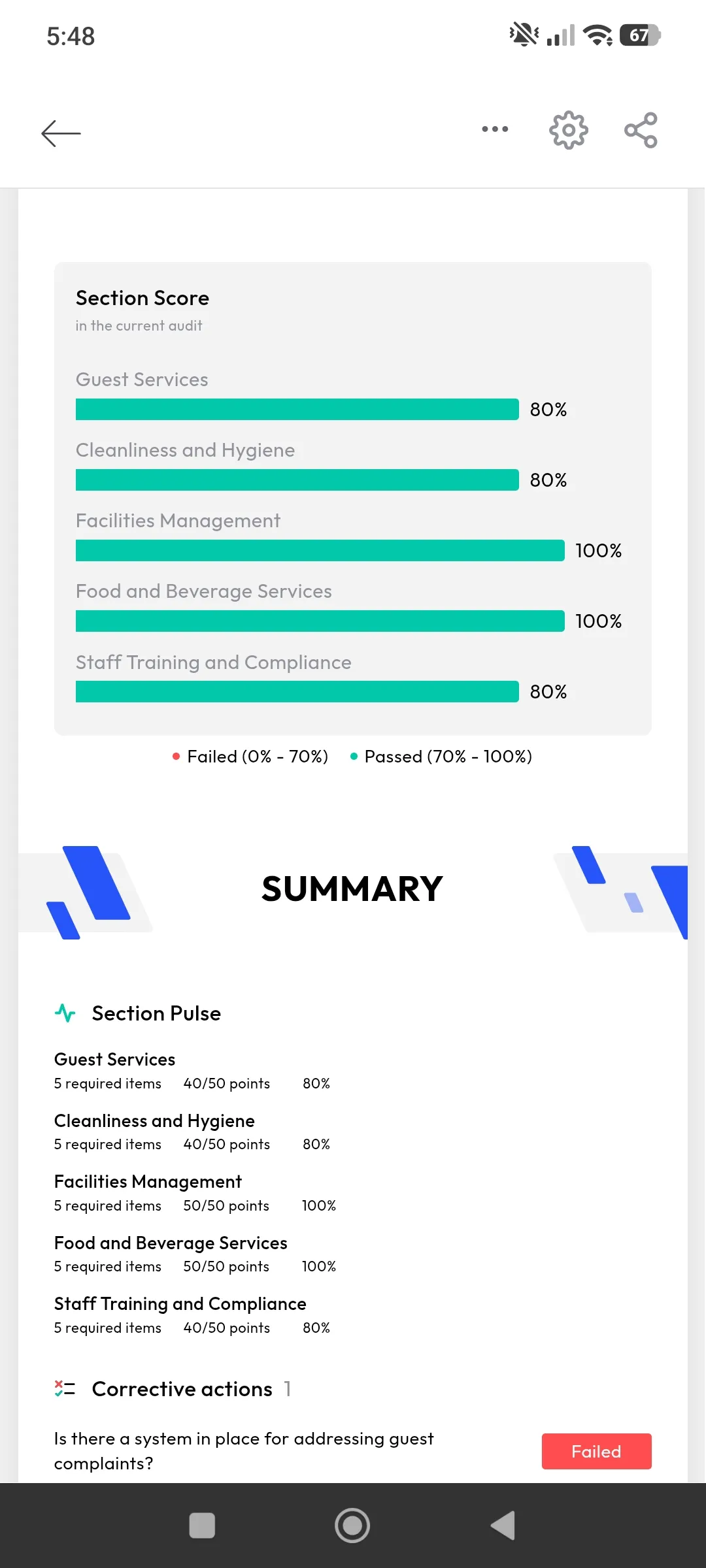
Managers need more than a list of completed audits. They need to understand where risk is increasing, which findings remain open, whether corrective actions are overdue and how locations compare over time.
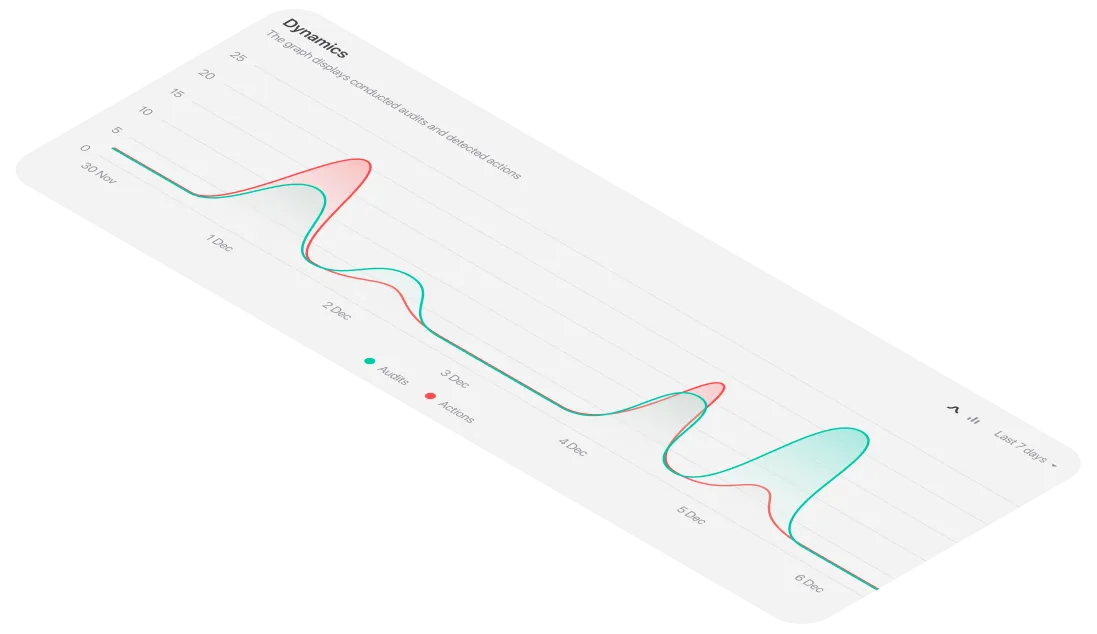
Dashboards and reporting can make this information available without requiring audit teams to assemble separate updates manually. Useful views may include:
- Planned, completed and overdue audits
- Audit coverage by site, process or business unit
- Open findings by severity or owner
- Corrective actions approaching or past their deadlines
- Recurring failures and control weaknesses
- Remediation progress over time
- Trends across locations or audit types
Executives, audit leaders and site managers rarely need the same level of detail. Compare the reporting experience from each user’s perspective and confirm whether teams can export or share the information they need.
Traceable audit history
A structured audit history can help teams understand what happened from planning through closure. It should be possible to connect the audit plan, fieldwork, evidence, finding, corrective action, review and final verification.
The exact capabilities vary by vendor, so ask how the platform records changes, approvals, reassignment, comments and closure. Also confirm how long records are retained and whether they can be searched by site, date, audit, finding or owner.
A reliable history supports internal review and helps demonstrate that findings were not only recorded but also addressed appropriately.
Continuous monitoring and analytics
More advanced platforms can monitor selected controls or indicators against predefined thresholds and surface exceptions, recurring failures or unusual patterns as they emerge. This gives audit teams a more proactive view of risk instead of relying entirely on periodic, retrospective reviews.
Continuous monitoring does not replace professional audit judgment. It can, however, help teams identify where deeper review may be needed and make better use of limited audit resources.
Spreadsheets and paper versus internal audit software
Spreadsheets and paper may be practical for a simple, low-volume process. As audit activity expands, the administrative effort and control risks can increase quickly.
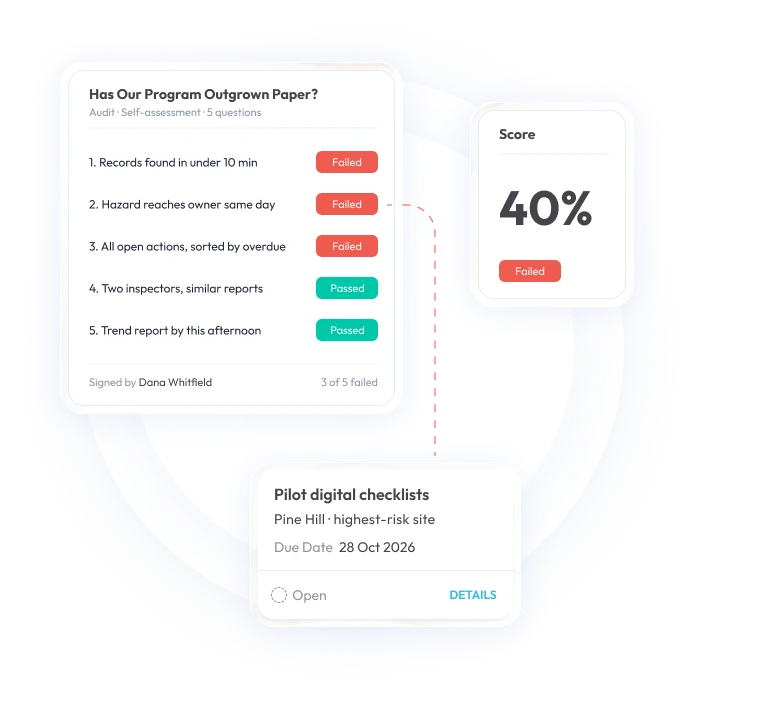
The right choice depends on the complexity and risk of your audit program. A small team with a limited number of simple audits may not need an enterprise platform. A growing, multi-site or highly regulated organization should evaluate whether spreadsheets still provide sufficient control, visibility and follow-up.
What to check before switching from spreadsheets
Before choosing internal audit software, compare platforms against your real workflows rather than selecting the tool with the longest feature list.
Can the platform provide one current audit plan?
Ask how the system manages audit schedules, assignments, template updates and risk-based prioritization. Confirm whether authorized users can see which audits are planned, in progress, completed or overdue.
Can auditors retrieve evidence from one place?
Choose a real audit or finding and ask the vendor to show how an auditor would find its supporting evidence months later. Check whether notes, photos, documents, approvals and related actions remain connected.
Can managers see overdue work without requesting updates?
Test dashboards for executives, audit leaders and site managers. Each audience should be able to see the information required to make decisions without being overwhelmed by irrelevant detail.
Can the system show who changed, reviewed and closed an item?
Ask which activities are recorded in the audit history and whether users can see changes, approvals, reassignment, comments and verification before closure.
Can findings be assigned and escalated without email reminders?
Follow one finding from discovery to verified closure. Check how the platform handles owners, deadlines, reminders, escalation, evidence and approval.
Can reports be generated from current data?
Ask whether reports and dashboards update from live audit activity and whether users can filter results by site, process, audit type, severity, owner and date.
Can the platform support field auditors and managers?
Test the mobile experience in a realistic scenario, including poor connectivity. Then review the administrator and management experiences to ensure the platform works for every group that will use it.
Can it integrate with existing systems?
Consider whether the platform needs to exchange data with HR, maintenance, GRC, business intelligence or other business systems. In some cases, reliable exports may be enough; in others, deeper integrations will be essential.
Will it scale with the audit program?
Review how the platform handles additional users, locations, audit types, permissions, evidence and reporting needs. Also request pricing based on your expected growth, not only your current usage.
How to implement internal audit software successfully
Moving away from spreadsheets is a process change as well as a technology change. A focused implementation can improve adoption and data quality.
- Choose a platform that fits the maturity of your audit program. A smaller or less complex operation may not need the breadth of an enterprise GRC suite. The right tool should support the way your team works today without introducing unnecessary administrative overhead.
- Involve operational users before rollout. Site managers, supervisors and field auditors will interact with the system most often. Include them in the pilot phase to uncover usability issues and make sure workflows reflect how audits are actually carried out.
- Clean up the process before digitizing it. Remove duplicate questions, standardize terminology and clarify what constitutes a finding, severity level, response and closure.
- Create consistent definitions across locations. Standardize terms such as risk, finding, critical and verified. Consistent terminology makes results easier to compare across sites.
- Start with a manageable use case. Pilot one audit type, process or group of locations before expanding the program. Use the pilot to test templates, permissions, reporting and corrective action workflows.
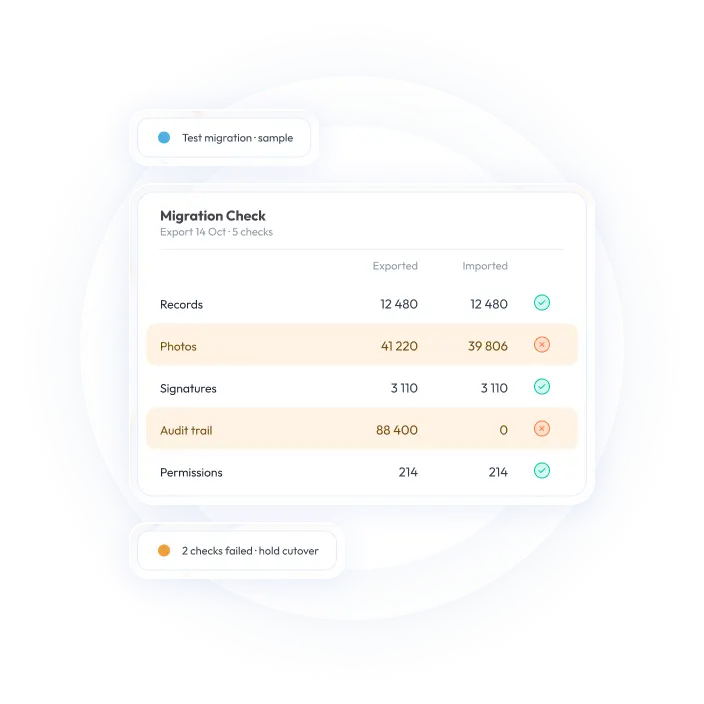
- Plan how spreadsheet data will be handled. Decide which historical records need to be migrated, which should be archived and how existing owners, sites and findings will map to the new system.
- Make corrective action ownership explicit. Automated reminders and escalation can help keep work moving, but every action still needs a clearly named owner.
- Use audit data beyond compliance reporting. Reviewing findings, remediation trends and risk dashboards alongside other business metrics can help teams identify recurring weaknesses before they become larger issues.
- Define success measures. Track measures such as audit completion, time to close findings, overdue corrective actions, evidence retrieval time and recurring failures.
Is monitorQA an option for teams moving off spreadsheets?
For teams looking to replace spreadsheet-based operational audits with a connected workflow, monitorQA is one platform to evaluate alongside other internal audit software options. It supports mobile fieldwork, digital audit templates, evidence capture, reporting and corrective action tracking for teams managing operational audits across locations.
As with any software decision, the right choice depends on your audit methodology, users, locations, reporting needs and implementation requirements. Ask each vendor to demonstrate your own workflow—from planning an audit and capturing evidence to assigning a finding and verifying closure.