An area auditor pulls into a car wash at 7:40 on a Tuesday, opens the app and starts the site standards audit. Eighty-five questions, top to bottom, the same as every other site.
What she doesn’t know: the chemical storage check failed at this site last month. There’s an open corrective action for a faulty door sensor on bay two, due last Friday. And a customer complaint about scratches after the tunnel wash was logged on Saturday.
All of that is already in monitorQA. She’ll find some of it halfway through the audit, some of it afterwards and some of it not at all.
Walking in cold costs more than time
An auditor without background treats every question equally. That sounds fair but it means the things most likely to be wrong get the same quick glance as everything else.
It also makes follow-up weak. When the site manager says “we fixed that door sensor,” an auditor who didn’t know about the corrective action has no reason to check. The action gets closed on someone’s word and the sensor fails again in March.
Most audit teams know this. Some managers write briefings by hand for their most important visits. Very few manage it for every audit, every week, because pulling together three sources of information for 20 sites is a morning’s work.
<<cta>>
What a good briefing looks like
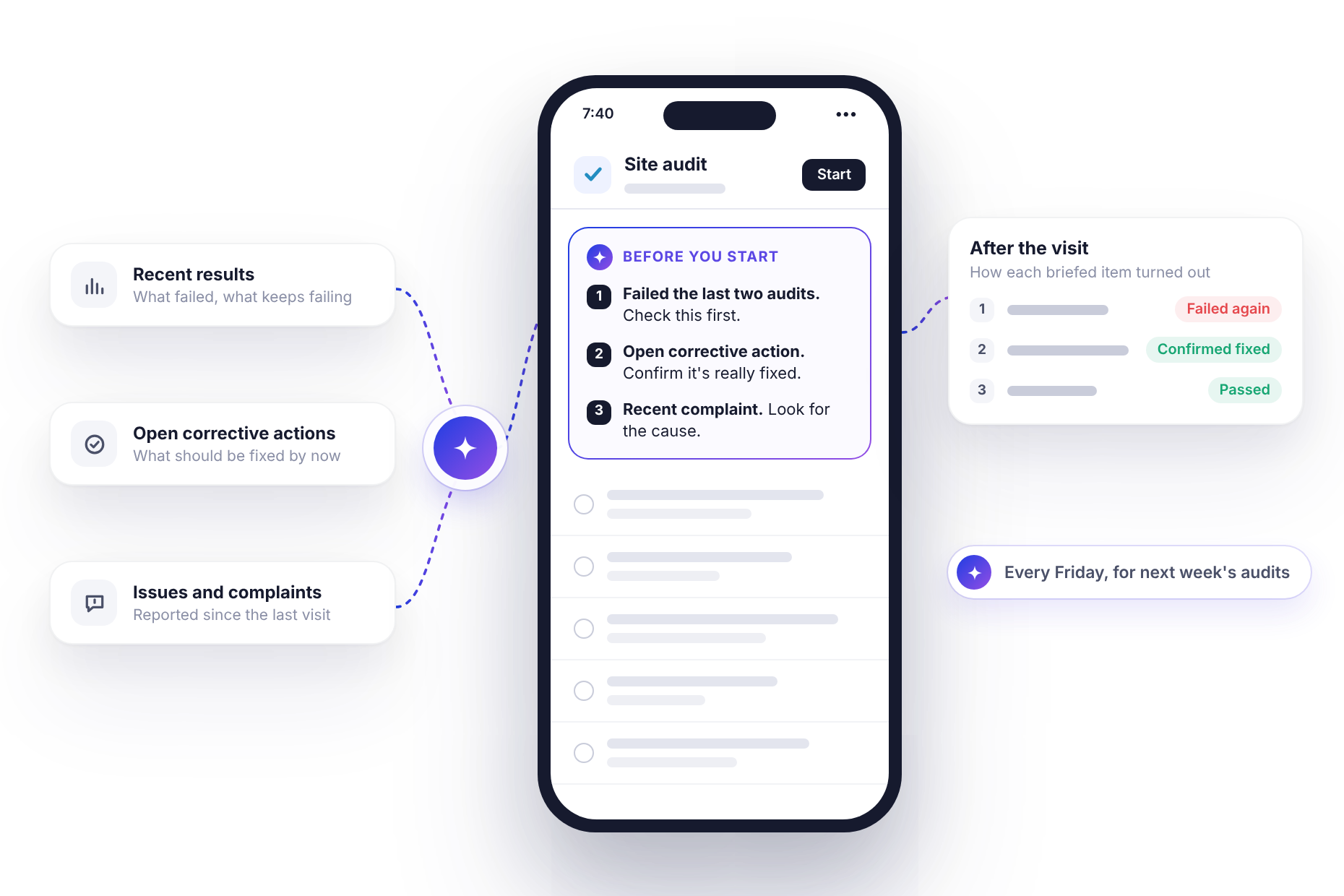
A useful briefing pulls from three places, all of them already in monitorQA:
- Recent results: what failed last time and especially anything that keeps failing.
- Open corrective actions: what the site is supposed to have fixed so the auditor can confirm it actually was.
- Logged issues and complaints: what customers, staff or managers have reported since the last visit.
The briefing itself should be short enough to read in the parking lot. Something like:
Before you start (site briefing)
- Chemical storage failed last 2 audits (lids off, no labels). Check first.
- Open corrective action: bay 2 door sensor, due Oct 24. Confirm it’s fixed and test it.
- Customer complaint Oct 26: paint scratches after tunnel wash. Inspect brushes and guide rails.
Last audit: 81%, Oct 3.
Most important first, one line each, written as things to check rather than conclusions. The auditor still does the full audit. The briefing just tells them where to look first.
Start with the audits that need it most
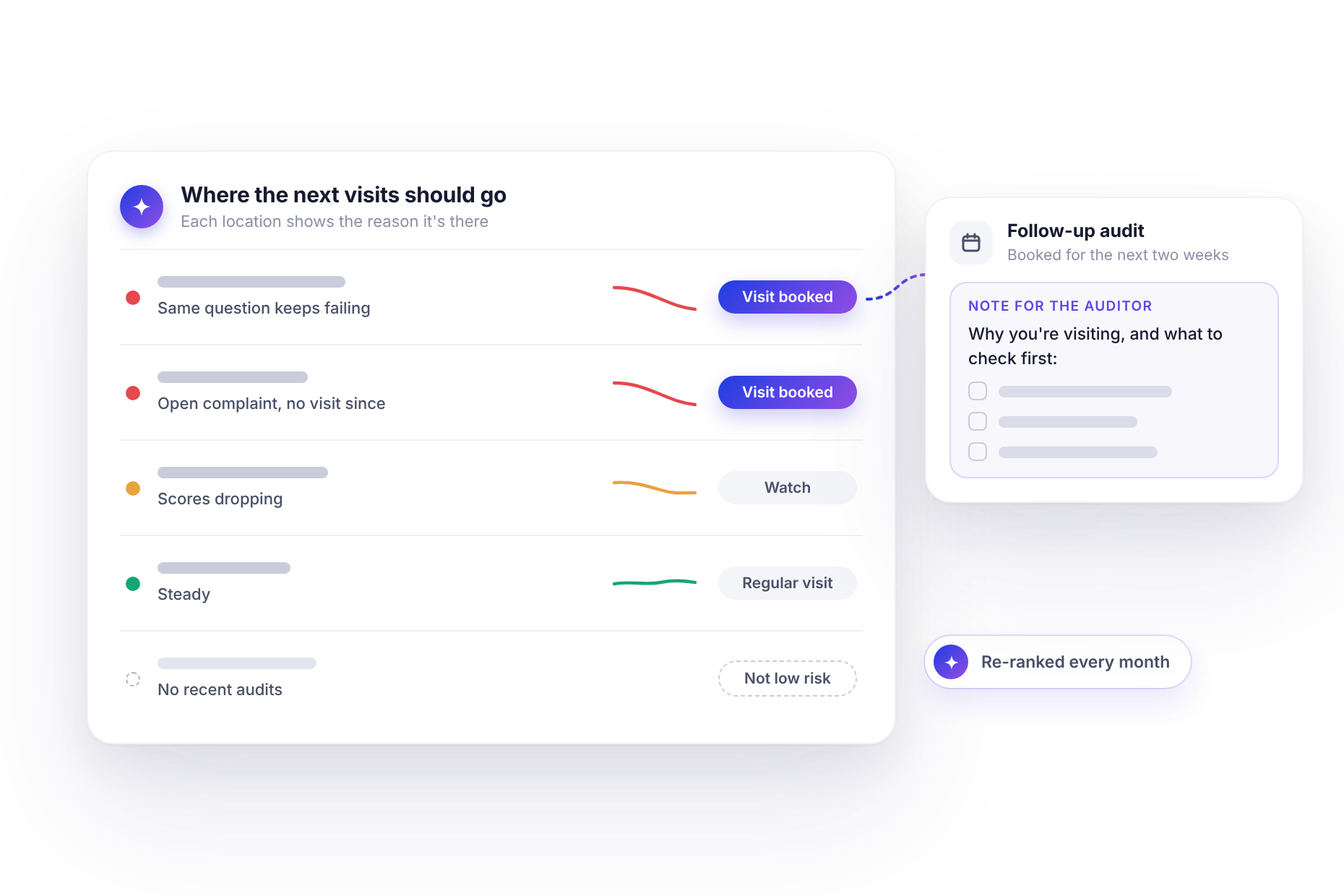
With monitorQA connected to an assistant like Claude (the setup guide explains how), you don’t have to decide which visits deserve a briefing. Ask the assistant to pick:
“Brief the auditors on the three audits this week that need it most. Use recent failures, open corrective actions and complaints, four lines each. Show me before saving.”
It looks at every audit due this week, checks each site’s recent results, open actions and logged issues, picks the three with the most behind them and drafts a briefing for each.
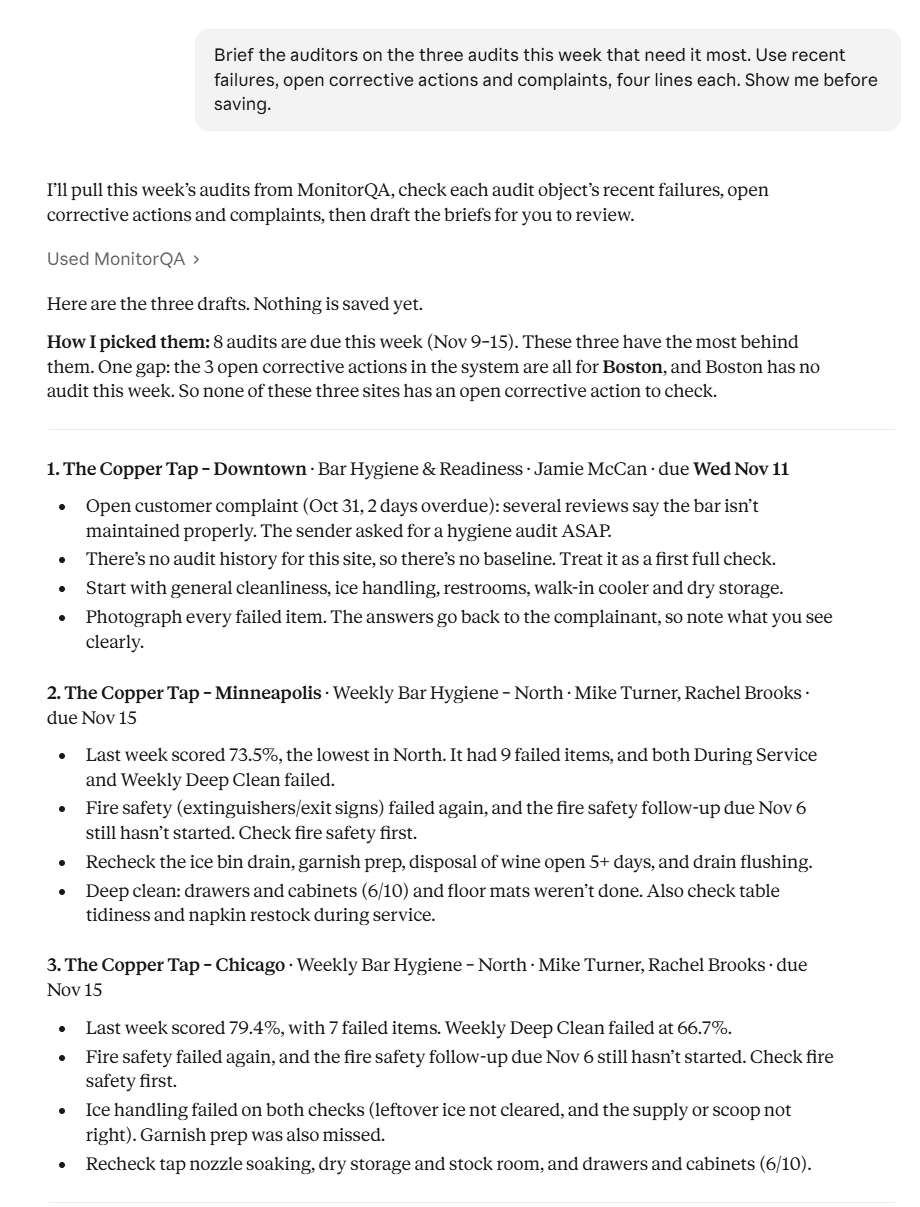
Notice the note above the briefings. When there’s nothing to say, a good briefing says so: no open corrective actions at these sites, no audit history to compare against. That’s useful too. It tells the auditor what kind of visit this is and it confirms the assistant actually checked.
Once you trust the format, widen it: “every audit due next week” instead of three. Some audits already carry instructions from a manager and the assistant adds its briefing below them rather than replacing them.
<<cta>>
What the auditor sees
The briefing is saved in the audit’s auditor note, so it appears in the monitorQA app when the auditor opens the audit. There’s no attachment to open on a phone with one bar of signal. It’s simply there, at the top of the job.
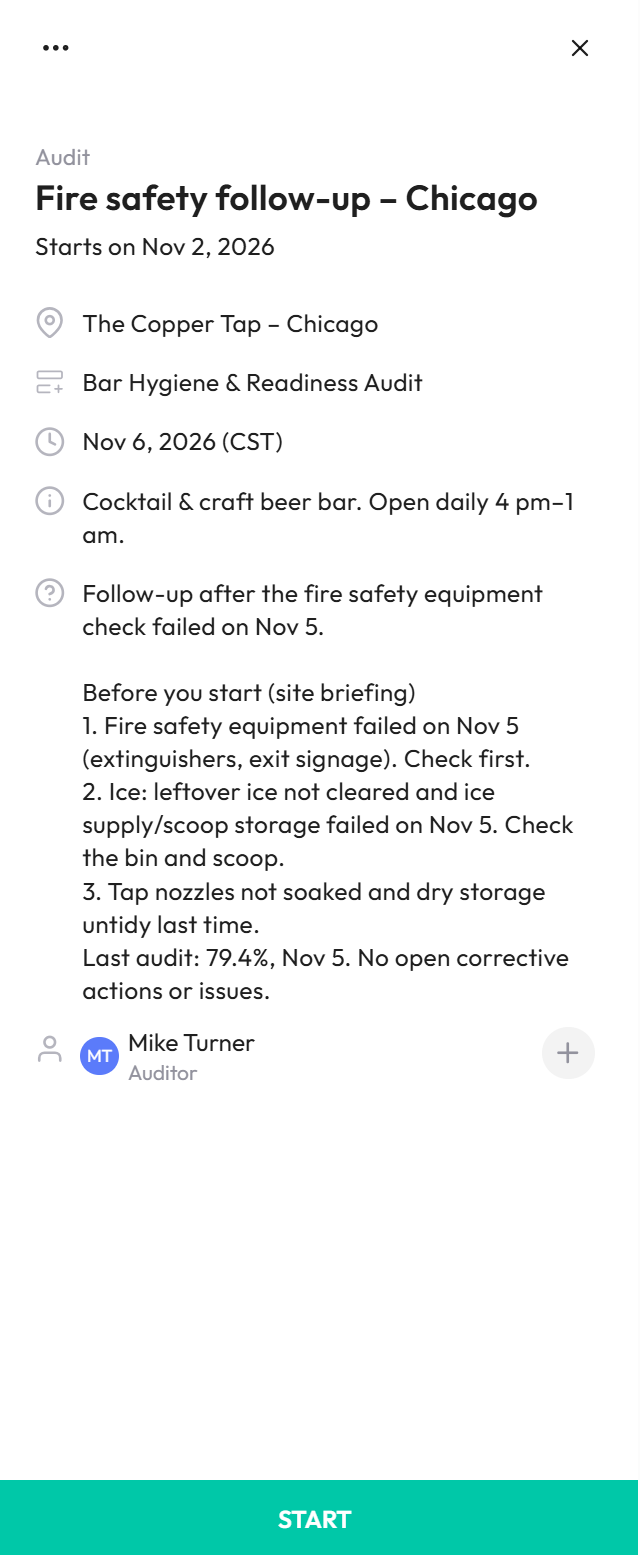
One limit to know about: the assistant can’t change the note on audits created by a recurring schedule. It can write briefings into one-off audits, such as follow-ups and extra visits. For scheduled audits, ask it to email each briefing to the auditor instead, if your email is connected too.
Make it a weekly routine
Briefings are most valuable when they’re consistent. An auditor who gets one every time starts relying on it. One who gets one occasionally doesn’t think to look.
If your assistant supports scheduled tasks, the weekly request can run on its own, for example every Friday afternoon for the following week. (Stop checking dashboards covers setting up a schedule.) Audits created during the week, such as a follow-up booked after a complaint, can be briefed when they’re created, by including the briefing in the same request.
Keep briefings factual and fair
A briefing shapes how an auditor approaches a site, so it’s worth a few ground rules:
- Stick to the record. Results, actions and logged issues. No opinions about the site manager, no “this site is always a mess.”
- Leave out personal details. A complaint can be summarized without the customer’s name, email or phone number.
- Set priorities, not conclusions. “Check chemical storage first” is a briefing. “Chemical storage will fail again” is a verdict. Auditors should still score what they find.
- Keep it current. Ask for issues from the last 30 days, not the last two years. A complaint that was resolved in spring doesn’t belong in an October briefing.
You can put these rules straight into the request. The assistant will follow them every week, which is more than most people manage with handwritten notes.
<<cta>>
Close the loop after the visit
Once the week’s audits are in, it’s worth checking whether the briefings did their job:
“For last week’s audits, show me how each briefed item turned out: passed, failed or not checked.”
The assistant compares each briefed item with the answers in the completed audit. Items confirmed fixed can be closed with confidence. Items that failed again need a stronger response, which is where Every failure gets an owner picks up.
Start with next week’s five most important audits
You don’t need to brief everything from day one. Ask for the five audits next week that matter most, the follow-ups, the sites with open actions, the ones with recent complaints and brief just those.
Then ask the auditors whether it helped. They’ll tell you quickly and they’ll probably ask why they weren’t getting this before.