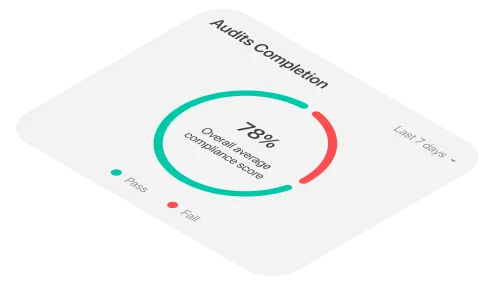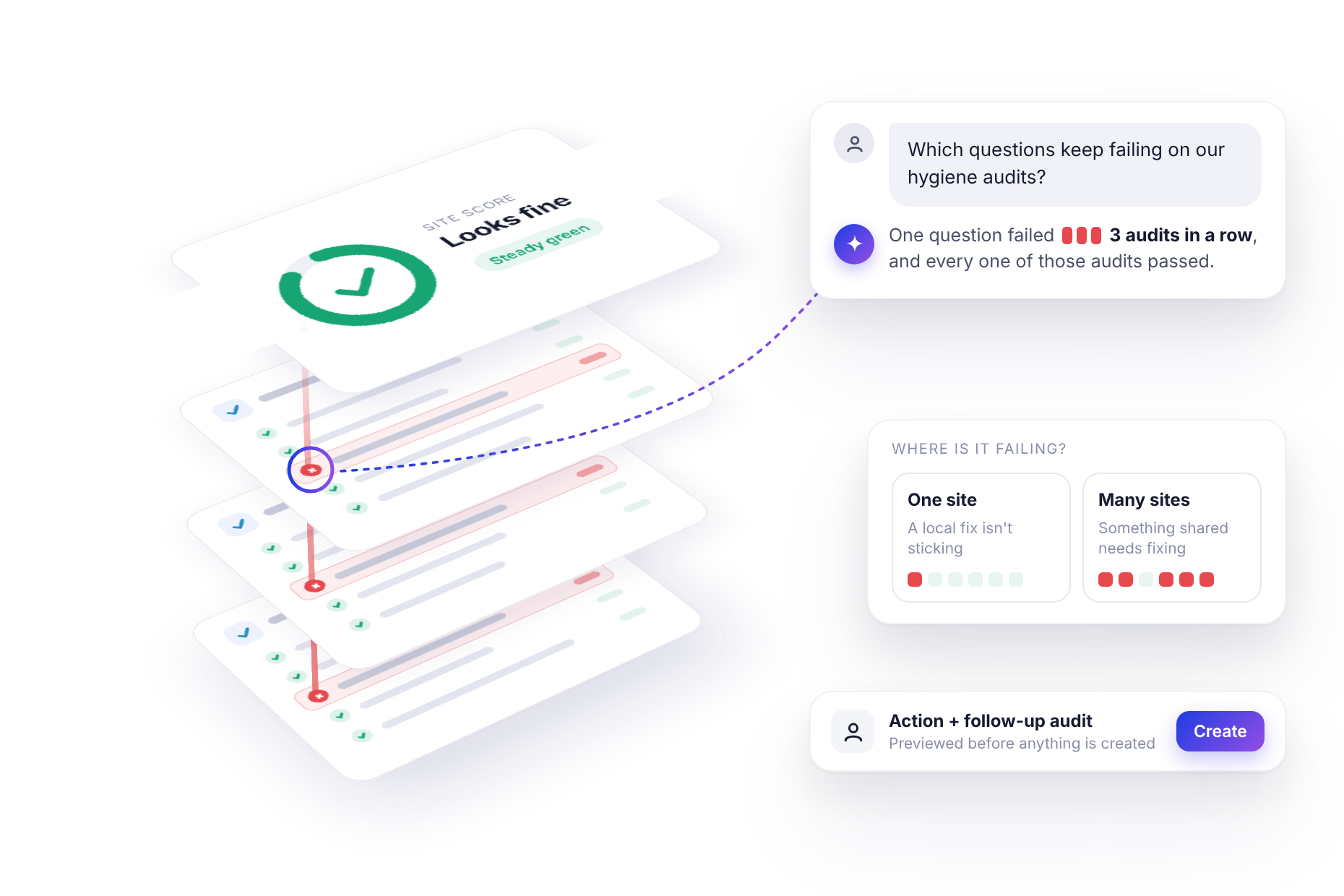
The Boston bar scored 88% on its last hygiene audit. It scored 85% on the audit before that and 88% on the one before. On the dashboard it's a steady green, the kind of site nobody spends much time worrying about.
It also failed the same question in all three audits: last night’s ice was still sitting in the bin, never cleared or drained.
Nobody ignored it on purpose. The auditor marked it every time and the report recorded it every time. It just never added up to anything, because one failed question on a 40-question checklist moves the score by a couple of points. A couple of points doesn't make anyone pick up the phone.
That's the problem with averages. They're very good at telling you how a site is doing overall and very bad at telling you what keeps going wrong.
Why a good score can sit on top of a bad habit
An overall score is a summary and summaries smooth things out. If every question on a 40-question checklist counts equally, a single failure costs 2.5 points. A site can miss the same item every month for a year and never drop below 90%.
The same thing happens one level up. A regional average of 87% looks healthy, even if one of its sites has failed the pest-control check in four audits running. The good sites quietly cover for it.
None of this means scores are useless. It means they answer a different question. "How are we doing?" is a score question. "What keeps failing and where?" is a question about individual answers and those are buried inside every completed audit.
In theory, you can dig them out. Open each audit, scroll to the failed items, note them down, repeat for every site, then line them up in a spreadsheet to spot the repeats. In practice, almost nobody does this every month, because it takes an afternoon nobody has.
<<cta>>
Ask the question you actually care about
With monitorQA connected to an AI assistant like Claude, you can skip the afternoon and ask directly. (If you haven't connected yet, Put Your Audits on Autopilot covers the setup.)
"Which questions keep failing on our hygiene audits? Look at the last 90 days and show me the top 5 with the question, the site, how many audits in a row it’s failed and the score of the latest audit it failed in."
The assistant reads every completed audit in that window, answer by answer, rather than just the scores. It also uses something monitorQA already tracks for each question: how many audits in a row it has failed. That count comes straight from your audit history so the assistant isn't guessing at patterns. It's reporting them.
What comes back is a short list: the question, the site, how many audits in a row it has failed and the score of the latest audit it failed in.
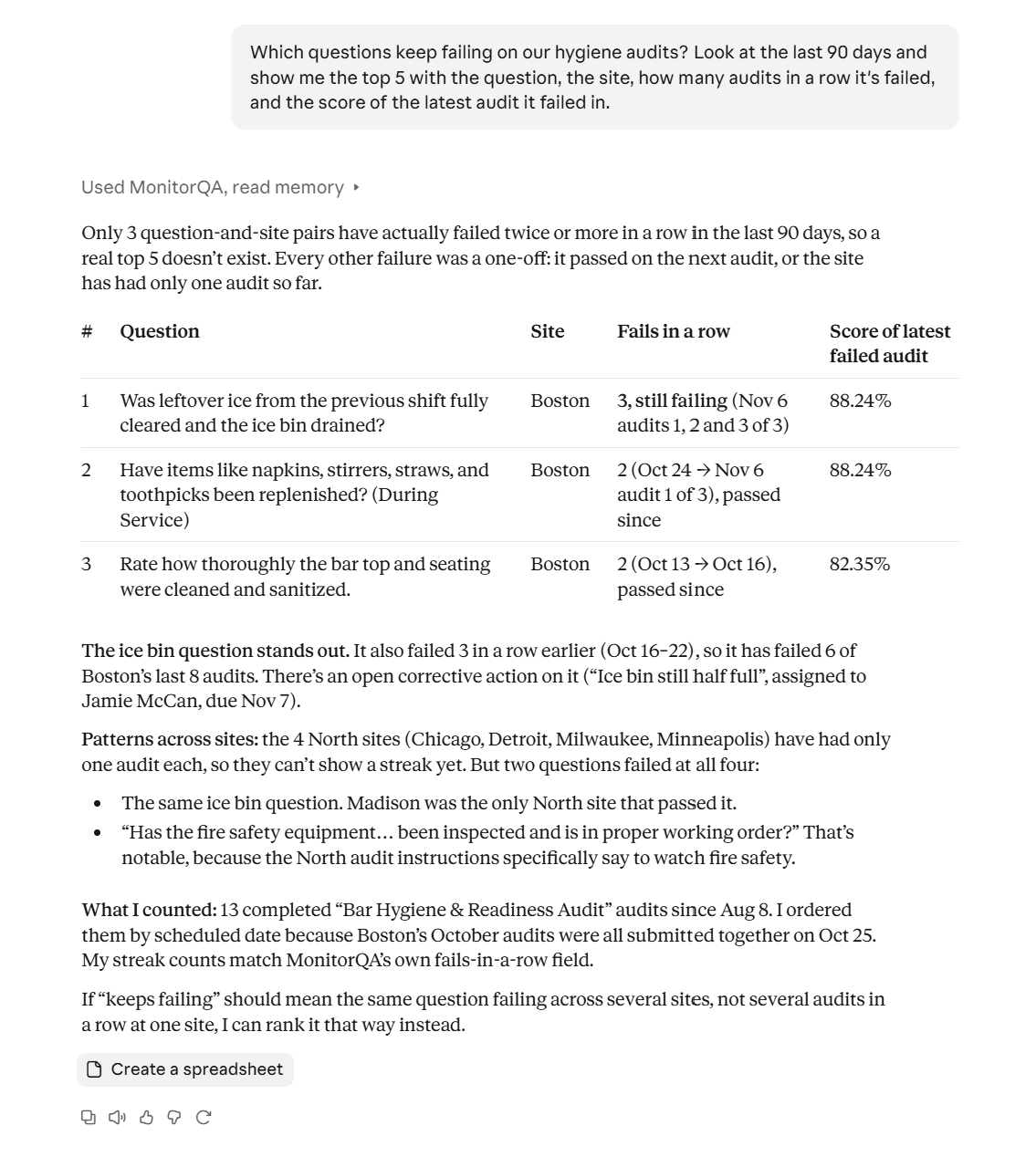
That last column is where things get uncomfortable. A failure in a 62% audit is already on your radar. A failure in an 88% audit probably isn't. So it's worth asking for those specifically:
"Show me questions that failed in audits scoring 85% or higher."
This is the list your dashboard will never show you because every audit on it looks fine.
<<cta>>
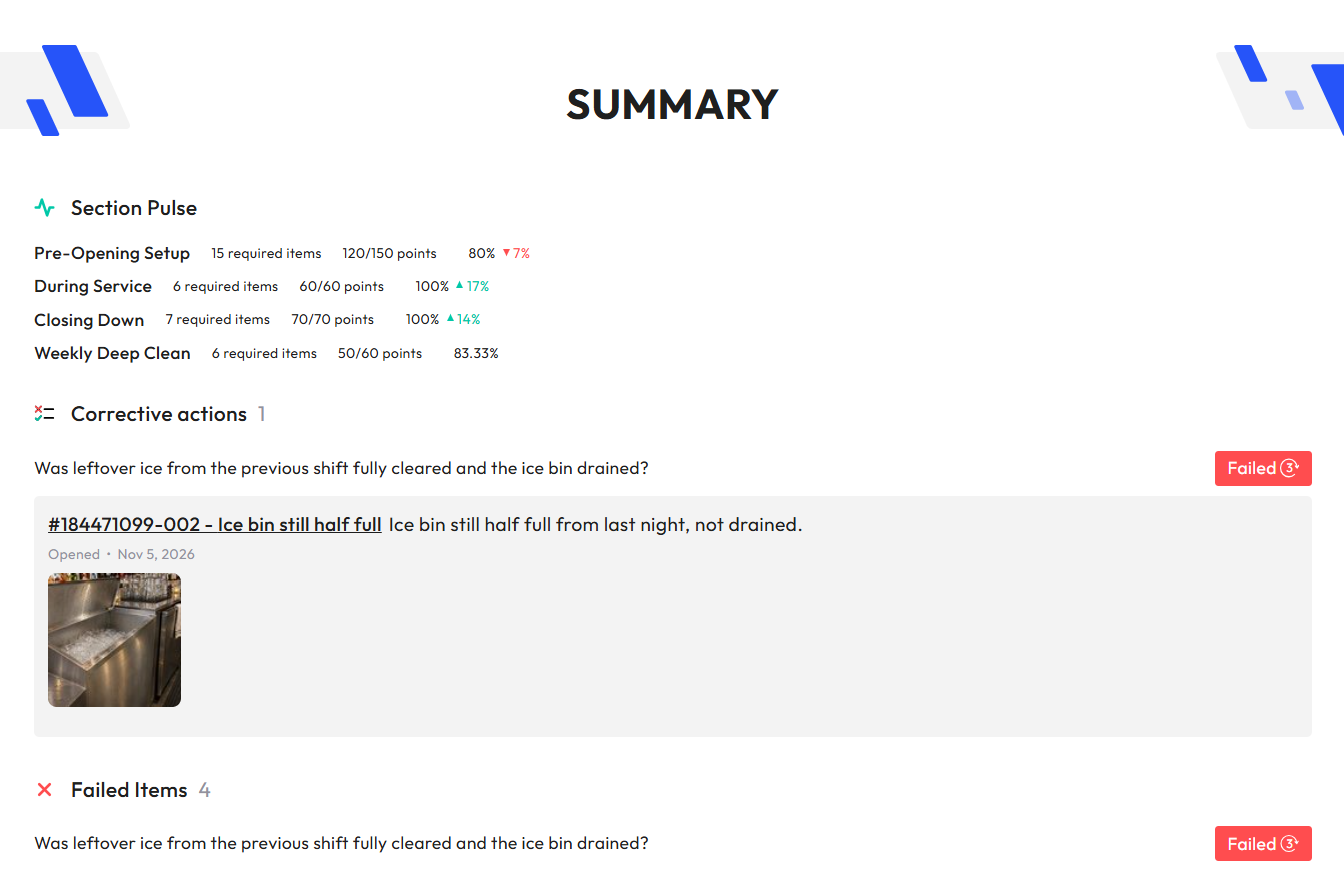
Since the answers come straight from monitorQA, you can always check the source. Open the audit in the app and you'll find the same failed answer, the auditor's notes and any photos they took.
One site or every site? The pattern tells you the fix
Once you know what keeps failing, the next useful question is where. Repeat failures tend to come in two shapes, and they call for very different responses.
The same question, at the same site, audit after audit. This usually means a local fix isn't sticking. Maybe someone restocked the paper towels after the first audit, but nobody changed who's responsible for checking them. Before creating anything new, it's worth asking what has already been tried:
"How long has the ice bin question been failing at Boston, and is there an open corrective action at that site that mentions it?"
The same question, failing at many sites. That's rarely about one manager. It points to something shared: a supplier, a policy, a training gap or a checklist question that's unclear or unrealistic.
"Is the ice bin question failing anywhere else?"
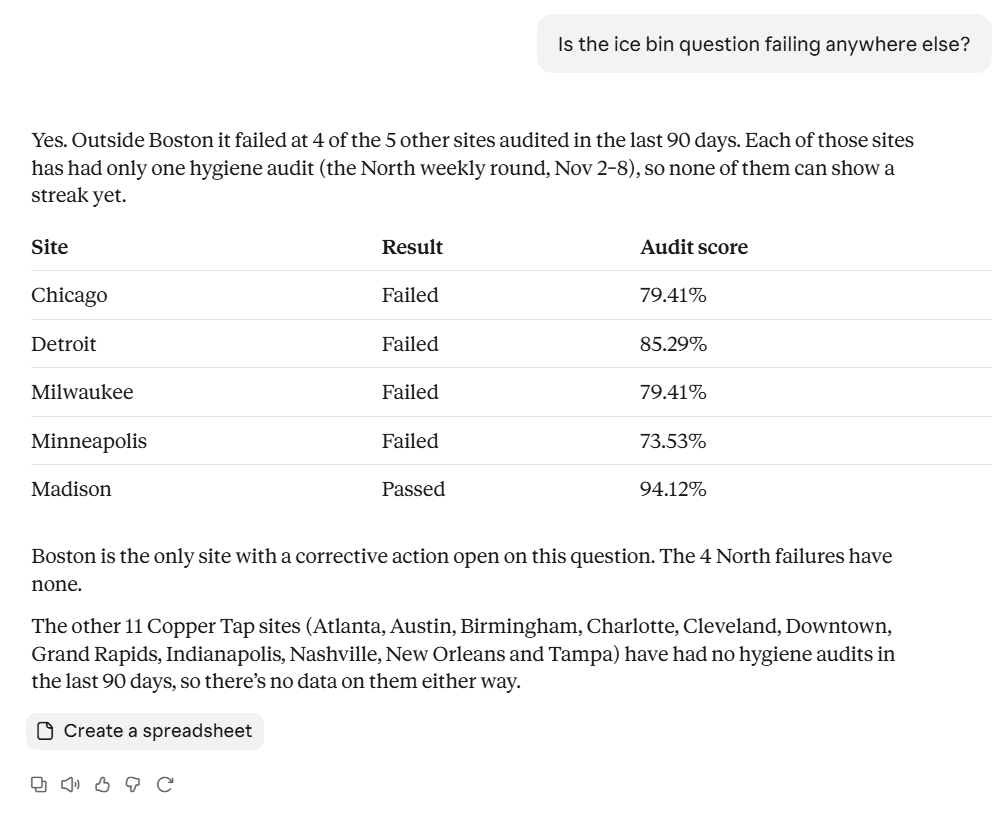
If the answer is four sites out of five, four local corrective actions won't solve it. One change to the closing routine or one round of training, might. And if a question fails almost everywhere, it's worth asking whether the question itself needs work, which is the subject of a later post in this series, Let your results rewrite your checklists.
From pattern to owner
Spotting a repeat failure is useful. Getting someone to fix it is the point. When you're ready, the assistant can turn what it found into tracked work in monitorQA. You decide what happens; it handles the setup.
There are two natural next steps and you'll often want both:
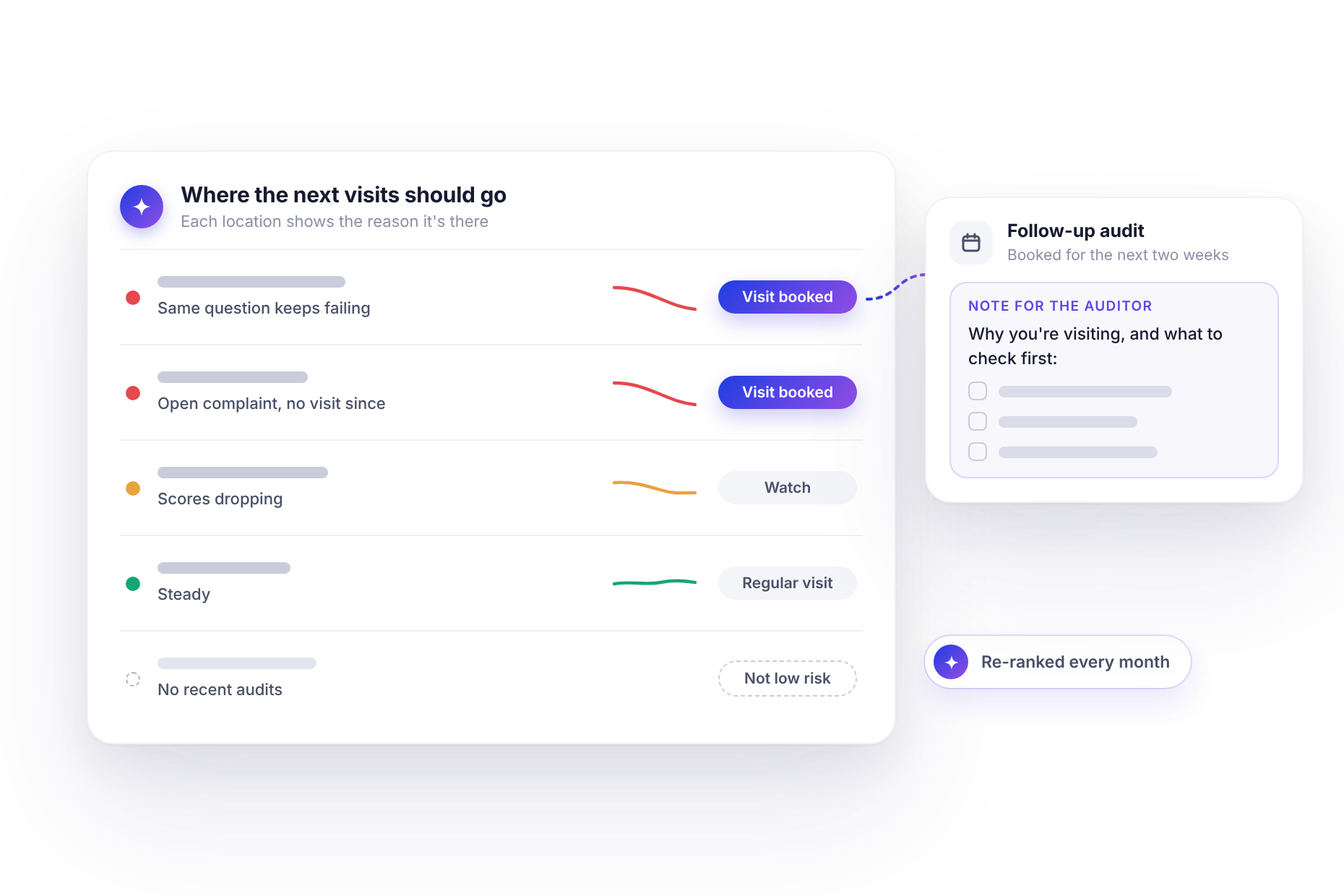
- A corrective action with an owner, due date and priority. Actions the assistant creates belong to the site rather than to a single question, so it writes the context into the description, such as the audit where the question failed.
- A follow-up audit with a short briefing in the auditor's hint so the person who walks in next knows to check the ice bin first.
<<cta>>
One request covers both:
"Create a new high-priority corrective action for Jamie McCan, the Boston bar manager, due Monday, about leftover ice not being cleared from the ice bin. In the description, list one of the hygiene audits where it failed. Then book a follow-up hygiene audit at Boston for Molly Johnson, Monday to Friday next week, with a note telling the auditor to check the ice bin first. Show me both before you create them."
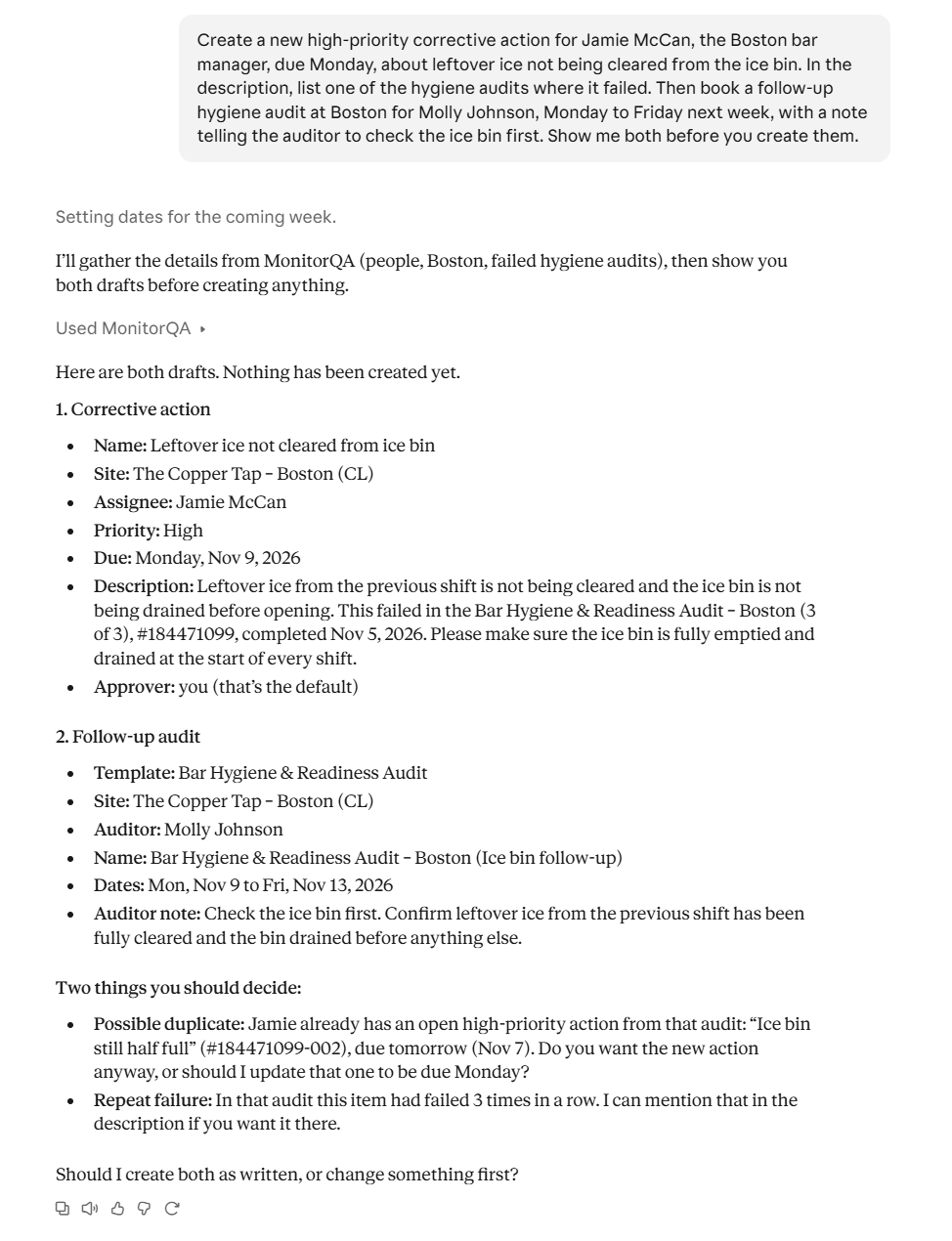
Asking it to show you first is a good habit, especially early on. Once you've seen a few of these come out right, you'll know when you can skip that step. Following those actions through to completion gets its own post, Every failure gets an owner.
Make it a habit, not a project
Running this once is interesting. Running it every week is where it starts paying off, because repeat failures are much cheaper to deal with in their second month than their sixth.
If your assistant supports scheduled tasks, as Claude does, you can set it up with one sentence:
"Every Monday, list any question that has failed three or more audits in a row at any site."
A few things make the results more useful:
- Pick a time window. The last 90 days is a good start. Go too far back and you'll surface problems that were fixed long ago.
- Compare like with like. If you run several checklists, name the template, so hygiene results aren't mixed with facilities checks.
- Set a threshold. Three failures in a row cuts out one-off misses and leaves the real habits.
- Use plain words. Naming the question in plain words ("the ice bin one") works fine. You don't need its exact text or ID.
Regular reports like this one, and how to get them delivered without asking, are covered in more detail in Stop checking dashboards: let the problems find you.
Start with the sites you trust
When you run this for the first time, don't start with your weakest sites. You already know about them.
Start with the ones scoring in the high 80s and 90s, the sites nobody looks at closely because the numbers say there's no need. That's where a quiet repeat failure is most likely to have been sitting for months and where finding it will surprise you the most.